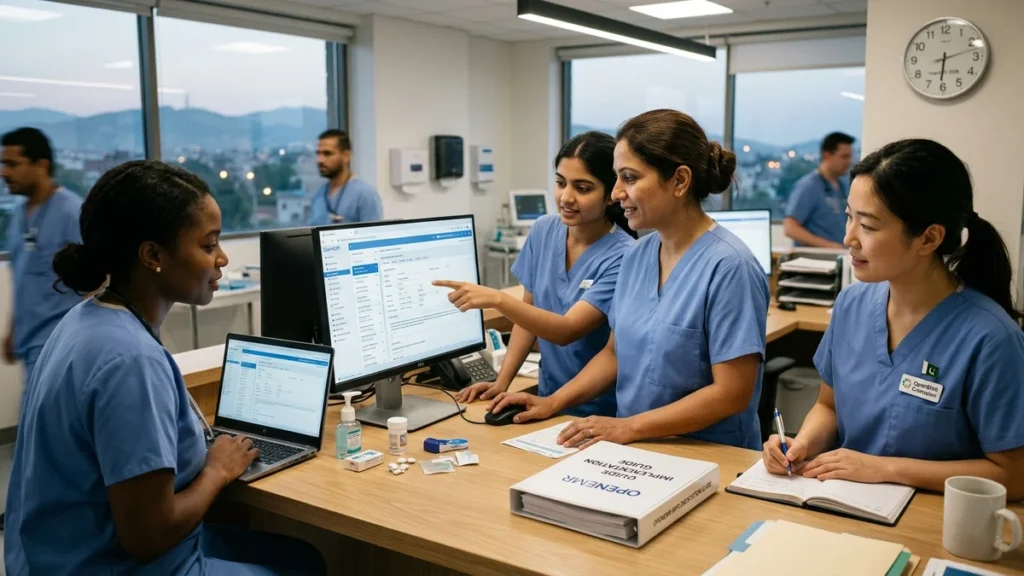
The first time I sat down with a group of nurses to discuss their transition to OpenEMR (OpenEMR Implementation for Nurses), I could see the anxiety in their eyes. They were worried about the learning curve, the potential for errors, and how this new system would affect their patient care. In my analysis of OpenEMR implementations across various healthcare settings, I have found that while the initial challenges are real, there is a clear path to success. From my perspective, understanding how to navigate OpenEMR effectively is not just about learning software—it is about adapting to a new way of delivering care.
Based on the available evidence, OpenEMR is a free, open-source electronic health record (EHR) system used by clinics, hospitals, and private practices worldwide. It handles patient records, scheduling, prescriptions, billing, and clinical documentation all in one place. The reason so many healthcare facilities are choosing it right now comes down to cost and flexibility. There is no licensing fee, it can be customized to fit almost any specialty, and it integrates with a wide range of billing and lab systems.
For nurses, this means you will interact with OpenEMR every single shift. You will document vitals, update care plans, review orders, and communicate with the rest of the care team. Getting comfortable with OpenEMR is not optional; it is part of doing your job well.
Executive Summary: OpenEMR Implementation for Nurses
| Aspect | Key Information |
|---|---|
| What Is OpenEMR | A free, open-source electronic health record (EHR) system used worldwide |
| Why Clinics Choose It | No licensing fees, customizable, integrates with billing and lab systems |
| Core Nursing Workflows | Patient dashboard, encounter documentation, vital signs, medications, immunizations, allergies |
| Documentation Style | Free text, structured forms, SOAP notes |
| Key Skills | Patient lookup, encounter management, nursing note documentation, medication reconciliation |
| EHR Competencies | Clinical Information Systems, Clinical Decision Support Systems, Health Information Management, Scientific and Clinical Data Management |
| Training Approach | Classroom or online training followed by hands-on practice in a sandbox environment |
In my view, the most important takeaway is that OpenEMR implementation success for nurses depends less on technical expertise and more on understanding the workflow—knowing where to click, when to document, and how to find what you need without wasting time.
What Is OpenEMR and Why Are Clinics Using It?
OpenEMR is an open-source electronic health record system that has been adopted by thousands of healthcare facilities worldwide. Unlike commercial EHRs that charge per-provider fees, OpenEMR is distributed under the GPL-2.0 license with no licensing costs. This makes it particularly attractive to small clinics, community health centers, and practices in resource-limited settings.
According to the official OpenEMR Users Guide, the system provides comprehensive functionality including patient records, scheduling, prescriptions, billing, and clinical documentation all in one place. The system is highly customizable—administrators can tailor forms, templates, and workflows to match specific clinical units or specialties.
The Rise of OpenEMR in Nursing and Skilled Care
Recent developments have expanded OpenEMR’s reach into nursing and skilled care facilities. A new institutional module for OpenEMR provides full medication administration record (MAR) and electronic medication administration record (eMAR) functionality. This module supports emergency department, observation stay, behavioral health, inpatient, and assisted living contexts.
The MAR/eMAR module allows nursing staff to manage scheduled medications, as-needed (PRN) medications, and STAT orders. It automatically generates medication administration schedules and records each administration event. Nursing staff see scheduled medication passes and document outcomes such as administered, held, refused, or missed.
Educational Use of OpenEMR
OpenEMR is also used in educational settings to train the next generation of healthcare professionals. A study published in IEEE Xplore described the implementation of OpenEMR as an educational EHR using real clinical data with continuity of care. The system was integrated into six graduate courses and three undergraduate courses covering competencies such as Clinical Information Systems, Clinical Decision Support Systems, Health Information Management, and Scientific and Clinical Data Management.
Students using the educational EHR go beyond becoming EHR users—they become EHR administrators, developers, and innovators. This approach helps implement competency-based education and changes courses from passive learning to active, hands-on learning.
Before You Log In: What to Expect During the Transition
One of the biggest frustrations nurses have with any EHR rollout is the gap between what IT promises and what the floor actually looks like on go-live day. Here is what a typical OpenEMR implementation looks like from the nursing side.
The Training Phases
Training usually happens in two phases. First, there is a classroom or online session covering the basics: navigation, patient lookup, and documentation. Then there is hands-on practice, either in a sandbox environment or during a supervised go-live period.
Most nurses find the classroom training helpful but not enough. The real learning happens when you are at the bedside trying to document while a patient is talking to you. Do not worry if it does not all click during training—that is normal.
Interface Customization
Your facility will likely customize the interface. OpenEMR allows administrators to tailor forms, templates, and workflows to match your specific unit or specialty. This means the OpenEMR you use may look slightly different from screenshots you find online. When in doubt, ask your clinical informatics lead or superuser.
Change Management Strategies
According to experts in OpenEMR training programs, successful implementation requires more than just technical training. Change management strategies include:
- Selecting a nurse advocate who understands both care processes and technology
- Defining and communicating clear objectives
- Updating employees on advancements regularly and celebrating achievements
- Identifying quick learners to become on-the-job trainers and mentors
- Introducing the system and training gradually rather than all at once
- Continuing training after go-live with regular refresher sessions
Minimizing Parallel Documentation
Many organizations temporarily reduce patient load at go-live to give teams breathing room. Minimizing parallel paper and electronic processes speeds adoption. If dual-documentation is used initially, do it briefly and retire paper workflow quickly to prevent reversion to old habits.
Step 1: Learn the Layout
When you first log into OpenEMR, you will see a main navigation bar along the top or left side, depending on how your facility has configured it. The most important areas for nurses are:
Patient Dashboard
This is your central hub. Once you search for and open a patient, everything branches from here: demographics, visit history, problem list, medications, and allergies.
Encounter / Visit Notes
This is where you will document your assessments, nursing notes, and interventions. Your facility may have created custom nursing templates here.
Vital Signs
A dedicated section for entering and reviewing vitals. Make sure you know where this lives early on, because you will be here constantly.
Medications
OpenEMR tracks the current medication list and prescription history. Nursing staff often review this during admission assessments or medication reconciliation.
Immunizations and Allergies
Separate tabs that are easy to miss at first. Get in the habit of checking both at the start of a new patient encounter.
Key Navigation Tip
Spend your first few shifts just getting familiar with moving between these sections without clicking the wrong thing. Speed comes with repetition.
Step 2: Navigating Patient Encounters
Every time a patient comes in, a new encounter gets created. Think of an encounter as a container—it holds everything documented during that specific visit.
Encounter vs. Chart: Understanding the Difference
During OpenEMR implementation, nurses often get confused about the difference between updating a patient’s chart generally versus documenting within an active encounter. Here is the rule of thumb: if it happened during today’s visit, it goes in the encounter. Chronic conditions and standing medication lists live in the patient record itself.
How to Open an Encounter
- Search for the patient using their name or ID
- Open their chart from the search results
- Select the current visit date from the encounter list, or create a new encounter if one hasn’t been started
Once you are inside the encounter, you will see tabs or sections for different documentation areas. Your facility may have a specific nursing tab built into the visit template.
Step 3: Documenting Nursing Notes
This is where most nurses spend the bulk of their time during OpenEMR implementation and beyond. OpenEMR supports several documentation styles: free text, structured forms, and SOAP notes.
Structured Forms
Structured forms are the most efficient for routine documentation. Your facility can create custom forms that match your unit’s specific assessment needs. These forms reduce variability and ensure all required data points are captured.
Free Text Documentation
For narrative notes, you can use the free text editor. Some facilities use Layout-Based Visit Forms with a WYSIWYG editor for nursing notes.
SOAP Notes
OpenEMR supports SOAP (Subjective, Objective, Assessment, Plan) note formats, which align with standard nursing documentation practices.
The Real-World Flow
The best nurses I have seen during OpenEMR implementation develop a rhythm: they document vitals first, then move to the nursing assessment, then review orders and medications. This flow minimizes toggling between screens and reduces the risk of missing important information.
Documentation Tips
The most successful nurses I have observed during OpenEMR implementation follow these practices:
- Chart in real time: Document as you go rather than waiting until the end of your shift
- Use templates: Familiarize yourself with your facility’s custom templates
- Review before submitting: Double-check that you have selected the correct patient and encounter
- Check the problem list: Ensure it is up to date and relevant to the current visit
- Document all communications: Note any discussions with providers or other team members
Step 4: Managing Medications and the MAR
One of the most critical nursing workflows in OpenEMR is medication management. Recent developments have brought electronic medication administration record (eMAR) functionality to OpenEMR, significantly improving medication safety and documentation.
How the MAR/eMAR Module Works
The MAR/eMAR module manages the facility medication workflow. Here is the basic process:
| Step | Action |
|---|---|
| 1 | Provider creates a medication order in the MAR |
| 2 | OpenEMR’s pharmacy layer verifies and dispenses the medication |
| 3 | eMAR automatically generates medication administration schedules |
| 4 | Nursing staff administer medications and document outcomes |
| 5 | Administration record is saved in the eMAR |
Medication Administration Documentation
Nursing staff see scheduled medication passes and document outcomes such as:
- Administered
- Held (with reason)
- Refused (with reason)
- Missed (with reason)
The module supports 11 scheduled frequencies (Q1H, Q2H, Q4H, Q6H, Q8H, Q12H, QD, DAILY, BID, TID, QID) and auto-detects high-alert drug keywords.
PRN and STAT Orders
- PRN (as-needed) orders: Have a separate section in the MAR; always require a “Give PRN” action with indication documented
- STAT orders: Create an immediate slot at the time of order then generate the normal rolling schedule
Med Reconciliation
Nursing staff often review the current medication list during admission assessments or medication reconciliation.
Step 5: Working with Clinical Decision Support and Task Automation
OpenEMR includes features that support clinical decision making and task management, which can significantly improve nursing workflow efficiency.
Automated Task Assignments
The Form Rules engine in OpenEMR allows triggering custom logic based on form submissions. This can be leveraged to automatically create tasks for appropriate clinical staff. For example, a simple rule can check if the submitted form encounters a diabetes follow-up visit and automatically create a task record in the background, assigning it to the nursing team responsible for scheduling lab tests.
Reminders and Notifications
OpenEMR can be configured to generate periodic reminders for pending tasks. A periodic script can check pending tasks and send email reminders automatically if a task has been pending for over two days. This ensures that important nursing tasks are not overlooked.
Real-time alerts can also be triggered using event hooks. For example, when a lab report is submitted, an SMS alert can be sent to the ordering provider.
Step 6: Understanding Billing and Coding Implications for Nurses
While nurses are primarily focused on patient care, understanding how documentation affects billing is increasingly important. In skilled nursing facilities, documentation directly impacts reimbursement under the Patient-Driven Payment Model (PDPM).
Under PDPM, Medicare Part A reimbursement has six components:
| PDPM Component | MDS Driver | OpenEMR Documentation Requirement |
|---|---|---|
| Physical Therapy (PT) | Section GG, primary diagnosis (ICD-10) | PT evaluation, treatment notes, Section GG functional baseline completed pre-MDS |
| Occupational Therapy (OT) | Section GG, cognitive performance | OT evaluation, BIMS/CAPS cognitive assessment documentation |
| Speech-Language Pathology (SLP) | Swallowing, communication, and cognitive | SLP evaluation, SLP-related comorbidity documentation |
| Nursing Component | Section GG Nursing Function Score | Nursing shift assessments, restorative nursing logs, and CNA ADL documentation |
| Non-Therapy Ancillary (NTA) | Active diagnoses, medications, and special treatments | Complete medication list with NTA-classified drugs, active infection/condition documentation |
| Non-Case-Mix (NCM) | Not case-mix adjusted | Consistent documentation of room and board, utilities |
A single MDS assessment error, such as an inaccurate Section GG functional score, might result in a resident being placed in a reduced PDPM payment category for the duration of their Medicare stay. This makes accurate, timely nursing documentation essential.
Step 7: Securing Patient Data
OpenEMR includes several security features that nurses should understand:
Physical Safeguards
- Restrict data center/server room access to authorized personnel
- Enable full-disk encryption on all devices that access OpenEMR
- Implement a mobile device management (MDM) policy for phones or tablets used for clinical access
Audit Logs
OpenEMR maintains audit logs of all system activity. Nurses should be aware that their actions are tracked and should follow all facility policies regarding documentation and data access.
Common Mistakes to Avoid During OpenEMR Implementation
Based on my analysis, here are common mistakes that nurses make during OpenEMR implementation:
| Mistake | Why It Happens | How to Avoid |
|---|---|---|
| Documenting in the wrong chart | Patient lookup errors | Verify patient identity using at least two identifiers |
| Documenting outside an active encounter | Confusion about encounter structure | Always open the current encounter before documenting |
| Entering vitals in the wrong section | Unfamiliarity with layout | Practice navigating to vitals in the sandbox |
| Forgetting to save | Rushing or distraction | Develop a habit of saving frequently |
| Not using templates | Unaware of available templates | Ask your superuser about facility-specific templates |
Training Program Essentials for Nurses
A well-designed training program is essential for successful OpenEMR implementation. Based on expert recommendations, here are the key elements of an effective training program:
Assessment Methods
- Short tests after each module to measure understanding of system features
- Observation of each trainee performing core tasks in the sandbox
- Realistic scenario-based evaluations
- Monitoring of metrics within OpenEMR to track adoption
Key Performance Indicators
Training programs should track:
- Reduction in documentation errors
- Average time to complete routine tasks
- Percentage of users certified as competent
- Employee satisfaction and engagement surveys
Conclusion
Throughout this exploration of OpenEMR implementation for nurses, I have found that while the transition to a new EHR can be challenging, the rewards are substantial. The practical lesson is that successful OpenEMR implementation depends less on technical expertise and more on understanding the workflow and investing in proper training.
I believe the central insight is that OpenEMR offers nurses a powerful tool for delivering high-quality, efficient patient care. The system’s flexibility, open-source nature, and growing ecosystem of modules make it an increasingly attractive choice for healthcare facilities of all sizes. For those interested in exploring more about healthcare technology and nursing informatics, resources like those available at WordPlay-2018 can provide additional insights.
Frequently Asked Questions
How long does it take for nurses to learn OpenEMR?
The learning curve varies, but most nurses become comfortable with basic tasks within 2-4 weeks. Full proficiency typically takes 2-3 months of regular use. Classroom training alone is not enough; hands-on practice in a sandbox environment is essential.
What is the biggest challenge for nurses during OpenEMR implementation?
The biggest challenge is usually the gap between classroom training and real-world use. Nurses often find that the system works differently in practice than it did during training. This is normal, and proficiency comes with repetition.
Can OpenEMR be used for nursing documentation in skilled care facilities?
Yes, recent developments have brought full MAR/eMAR functionality to OpenEMR, making it suitable for skilled nursing facilities. The system supports emergency department, observation stay, behavioral health, inpatient, and assisted living contexts.
What is the difference between documenting in an encounter vs. updating the patient chart?
If something happened during today’s visit, it goes in the encounter. Chronic conditions and standing medication lists live in the patient record itself. This distinction is crucial for accurate documentation.
Does OpenEMR support automated task assignments?
Yes, OpenEMR includes a Form Rules engine that can automatically create tasks for appropriate clinical staff based on form submissions. This can significantly reduce manual task management and improve care coordination.
Is OpenEMR HIPAA compliant?
OpenEMR can be configured to meet HIPAA requirements. Key measures include physical safeguards, full-disk encryption, audit log management, and access controls. The open-source nature of the system allows for comprehensive security customization.
Sources
- “OpenEMR Implementation for Nurses: Step-by-Step Guide.” Qiaben, May 2026.
- “OpenEMR Implementation for Nursing & Skilled Care Facilities: Configuration, Workflows & Compliance.” CapMinds, May 2026.
- “OpenEMR 5.0.1 Users Guide.” OpenEMR Wiki, September 2025.
- “OE-Module-Institutional — MAR / eMAR Supported Functionality.” OpenEMR Community, March 2026.
- “Automating Task Assignments and Reminders To Improve Clinical Collaboration In OpenEMR.” CapMinds, November 2024.
- “How to Build an Effective OpenEMR Training Program.” CapMinds, March 2026.
- “Improving Health Informatics Competencies Using an Open-source Educational EHR.” IEEE Xplore, December 2023.
- “OpenEMR Installation & Integration Guide 2026.” CapMinds, May 2025.
Disclaimer
This article provides general information about OpenEMR implementation for nurses for informational and educational purposes. The analysis is based on available public information and may not reflect the most current features, policies, or practices of any specific healthcare facility. This article does not constitute professional medical, nursing, or technical advice. Healthcare professionals should consult their facility’s policies and IT support team for guidance on specific implementations. The views expressed are those of the author based on available evidence.