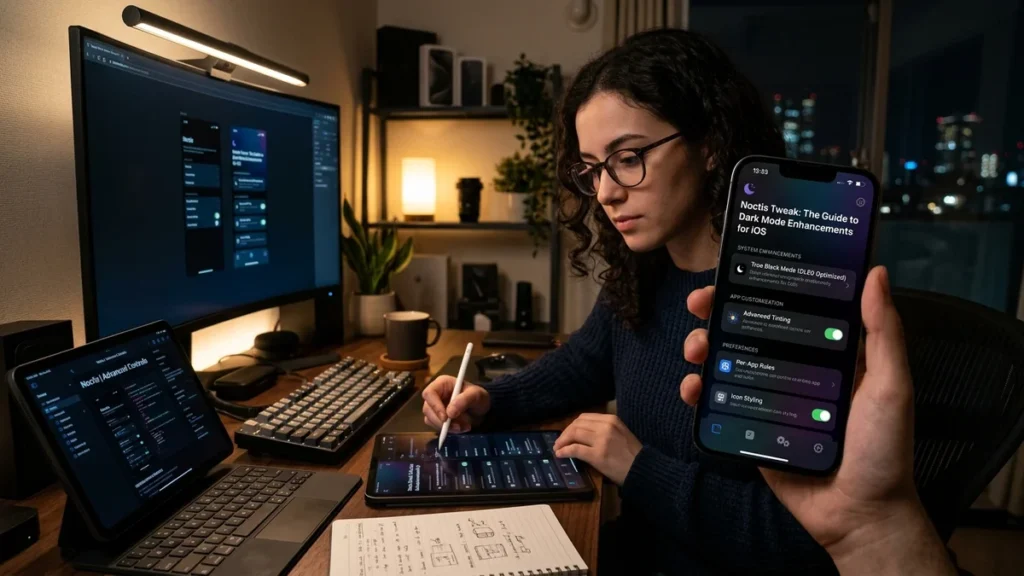
The first time I discovered the Noctis tweak, I was amazed at how it transformed the iOS interface into a stunning dark mode experience. In my analysis of this popular jailbreak tweak, I have found that Noctis has become one of the most beloved tools for iOS customization, bringing system-wide dark mode to devices long before Apple officially introduced the feature. From my perspective, understanding the Noctis tweak requires us to explore its features, evolution, and how it has shaped the jailbreak community.
Based on the available evidence, Noctis is a jailbreak tweak that brings a dark mode to various transparent elements of iOS, including Control Center, 3D Touch menus, the Dock, and application folders . Originally released for iOS 9, it has evolved through versions for iOS 10, 11, and 12, becoming a staple for users who want a darker, more comfortable interface . Let us consider the full scope of what this tweak offers and how it has evolved.
Executive Summary: What You Need to Know About Noctis Tweak
| Aspect | Key Information |
|---|---|
| What Is Noctis | A jailbreak tweak that brings dark mode to iOS transparent interfaces |
| Latest Version | Noctis12 (for iOS 12), Noctis11 Beta (for iOS 11) |
| Key Features | Customizable dark mode for Control Center, 3D Touch menus, Dock, Notifications |
| Support | Works with many stock and third-party apps |
| Repository | Packix Repository |
| Price | Free (formerly paid) |
In my view, the most important takeaway is that Noctis tweak represents one of the most successful dark mode solutions for jailbroken iOS devices, offering deep customization that Apple’s later native dark mode couldn’t match for older devices.
What Is Noctis Tweak? Understanding the Dark Mode Solution
The Origins of Noctis
Noctis was originally developed as a jailbreak tweak for iOS 9 to address a gap in Apple’s operating system: the lack of a system-wide dark mode . While tweaks like Eclipse and Nightmode9 themed entire apps, Noctis focused specifically on the transparent elements of iOS, such as Control Center, 3D Touch menus, the Dock, and folders .
The tweak was created by two developers, with the profits split between them, and was initially sold for $2.00 on Cydia’s BigBoss repository . It quickly gained popularity among jailbreak users who wanted a more comfortable viewing experience in low-light conditions.
How Noctis Works
Noctis works by applying a dark overlay to iOS’s transparent UI elements. Rather than simply inverting colors, it intelligently darkens backgrounds while maintaining readability of text and icons. The tweak offers extensive customization options, allowing users to:
- Choose the darkness level
- Select custom colors instead of black
- Set time periods for when the effect should be enabled
- Enable or disable specific interface elements
As one review noted, “What’s nice about the configuration options you’re given is that you can choose your own colors and time periods for when the colors take effect. This effectively lets you set the darker colors for later hours of the day, allowing them to return back to normal during the brightest time of the day for viewing comfort” .
Evolution of Noctis Tweak Across iOS Versions
Noctis9: The Original Dark Mode
The original Noctis tweak was designed for jailbroken iOS 9 devices . It brought dark mode to Control Center, 3D Touch menus, the volume HUD, Dock, and application folders . The tweak was completely customizable, offering options to choose darkness levels, custom colors, and time-based activation.
Noctis for iOS 10
Following the success of the iOS 9 version, the developers released an iOS 10 version of Noctis . This version expanded compatibility to devices running iOS 10.2, bringing the dark mode experience to a wider audience . The iOS 10 version was initially available only on the developer’s personal store before eventually being released on Cydia .
Noctis11 Beta
For iOS 11 devices, Noctis11 Beta was released, compatible with iOS 11 through 11.1.2 . This version continued the tradition of bringing dark mode to transparent interfaces on the latest jailbreakable iOS version.
Noctis12: The Latest Version
The most recent major version is Noctis12, which brought dark mode to iOS 12 devices . This version is particularly significant because Apple didn’t support dark mode on iOS 12, making it exclusive to jailbroken devices .
Key Features of Noctis12
System-Wide Dark Mode
Noctis12 is described as “a brilliant tweak that brings dark mode for iOS 12” . Once enabled, it displays system segments and third-party apps in a beautiful dark mode .
The tweak supports a wide range of iOS interface elements, including:
- Widgets
- Notifications
- Dock
- 3D Touch Menus
- Media Player
- Alerts
- Popups
- Many stock and third-party applications
Extensive Customization Options
Noctis12 comes with a dedicated preference pane in Settings where users can configure all options to their liking . Options include:
- A toggle to enable the tweak globally
- Blur settings
- Triggers
- Patches
- Segments
- Enabling dark mode only for selected iOS 12 apps
Color Profiles and Visual Customization
One of the most impressive features of Noctis12 is its color profile system. Users can define the blur using various color profiles such as:
- Classic
- Cloudy
- macOS
- Original
- Light
- Glass
- Rainbow
Additionally, users can enable adaptive tint in dark and light mode, or even use custom settings for blur like changing color tint, blur alpha, saturation factor, and RGB values .
Per-Application Settings
Noctis12 allows users to select which apps should be forced to work in dark mode . This selective approach ensures that users can maintain normal appearance in apps where dark mode might cause issues.
The tweak supports dark mode in many system apps, including:
- iMessage
- Notes
- Safari
- App Store
- Home app
- TV app
- Calendar
- Music
- ApplePay
- ScreenTime
It also supports popular third-party apps such as Instagram, Google Maps, and tweaks like BioProtect or ColorFlow .
Additional Patches and Features
Noctis12 comes with several patches to enhance the dark mode experience:
- Theme Apple Pay and Purchases UI
- Hide widgets overlay
- Ignore device alerts
- Disable visual effect on notification headers
- Restart all apps to toggle Eclipse
- Invert SpringBoard page dots
How to Install Noctis Tweak
Requirements
To install Noctis, you must have a jailbroken iOS device. The specific version of Noctis depends on your iOS version:
- iOS 9: Noctis9
- iOS 10: Noctis (iOS 10 version)
- iOS 11: Noctis11 Beta
- iOS 12: Noctis12
Installation Steps
According to the one jailbreak guide, to install Noctis12 :
- Open Cydia from the Home Screen
- Tap on the Sources tab
- Tap Edit → Add and enter the repository URL:
https://repo.packix.com - Install Noctis12 dark mode from the newly added repository
- Respring your iPhone to apply all changes
- Configure Noctis12 from the preference pane added to the Settings app
Adding Repositories with One Tap
For users who prefer quick installation, many guides provide links that automatically add the repository to package managers like Cydia, Sileo, Installer, or Zebra with just one tap .
Noctis Tweak and Jailbreak Culture
A Staple of Jailbreak Customization
Noctis has become one of the most beloved tweaks in the jailbreak community. As one review noted, “This is my favorite tweak to turn on the dark mode on iOS 12 up to iOS 12.5” . Its popularity stems from its ability to fill a gap in iOS functionality that Apple didn’t address until iOS 13.
Combining with Other Tweaks
Noctis is often used in combination with other tweaks to create a complete dark experience. For example, it works well with “onion,” another Cydia tweak that simplifies the Control Center interface . The onion tweak “removes the unnecessary layers of layout, giving a simplified look to the interface,” and works great when combined with Noctis’s dark theme .
The Influence on Apple’s Dark Mode
When Apple finally introduced system-wide dark mode in iOS 13, many jailbreak users noted that features they had been enjoying for years through tweaks like Noctis had finally become mainstream. The popularity of Noctis and similar tweaks demonstrated the strong user demand for dark mode, potentially influencing Apple’s decision to implement it officially .
Noctis Tweak vs. Alternatives
Eclipse Dark Mode
Eclipse is a popular alternative to Noctis that offers broader app theming . According to the one jailbreak guide, “Eclipse Dark Mode is a great Noctis12 replacement featuring support for many popular App Store apps, website dark mode, system-wide colorization, no battery usage, and Midnight mode ‘true dark’ for a truly black UI” .
Nightmode9
Nightmode9 is another alternative that themes entire apps, making it a good complement to Noctis for a complete dark iOS experience .
Noctis vs. Native Dark Mode
Apple’s native dark mode in iOS 13 and later offers system-wide dark theme without requiring jailbreak. However, Noctis remains valuable for users on older iOS versions who can’t upgrade to iOS 13 or later.
Noctis Tweak for Other Platforms
Interestingly, the name “Noctis” has been adopted by several other projects, including:
Noctis Audio Player
A modern music player for Windows, macOS, and Linux that supports multiple audio formats and includes dark theme .
Noctis Chrome Extension
A dark mode browser extension that turns the web dark on any site .
Noctis Neovim Theme
A collection of light and dark themes for Neovim, designed to reduce eye strain .
Noctis Python Package
A Python package for modeling chemical reaction data as graph structures .
Conclusion
Throughout this exploration of Noctis tweak, I have found that this jailbreak customization tool represents one of the most successful dark mode solutions in the iOS jailbreak community. The practical lesson is that Noctis offers a level of customization and control over dark mode that wasn’t available in stock iOS for years.
I believe the central insight is that Noctis’s popularity demonstrates the strong user demand for dark mode before Apple officially introduced it in iOS 13. The tweak’s extensive customization options, support for multiple iOS versions, and compatibility with both stock and third-party apps have made it a must-have for jailbreak users.
From my perspective, Noctis remains relevant today as a way to bring dark mode to older iOS devices that can’t upgrade to iOS 13 or later, offering a comfortable viewing experience in low-light conditions. For those interested in exploring more about technology and digital customization, resources like those available at WordPlay-2018 can provide additional insights.
Frequently Asked Questions
What is Noctis tweak?
Noctis is a jailbreak tweak that brings dark mode to various transparent elements of iOS, including Control Center, 3D Touch menus, notifications, and the Dock . It was originally released for iOS 9 and has evolved through versions for iOS 10, 11, and 12 .
How do I install Noctis tweak?
To install Noctis, you need a jailbroken iPhone. Add the Packix repository (https://repo.packix.com) to your package manager (Cydia, Sileo, etc.), install the appropriate version for your iOS, and respring your device .
Is Noctis tweak free?
Noctis12 was originally a paid tweak, but the developer decided to release it for free through the Packix Repository . Earlier versions like Noctis9 were paid tweaks sold on Cydia’s BigBoss repository .
What iOS versions does Noctis support?
Noctis is available for various iOS versions. Noctis9 supports iOS 9 , Noctis supports iOS 10 , Noctis11 Beta supports iOS 11 , and Noctis12 supports iOS 12 .
What apps does Noctis support?
Noctis supports many stock apps including iMessage, Notes, Safari, App Store, Home, TV, Calendar, Music, Mail, ApplePay, and ScreenTime . It also supports third-party apps like Instagram and Google Maps .
Is Noctis better than Eclipse?
Noctis and Eclipse serve different purposes. Noctis focuses on transparent elements like Control Center and notifications , while Eclipse themes entire apps for a complete dark experience . Many users combine both for the best results .
Sources
- “Noctis/README.md at main · heartached/Noctis.” GitHub, March 2026.
- “iOS 10.2 için en iyi 20 tweak.” ShiftDelete.Net, February 2017.
- “Noctis12 tweak brings dark mode for iOS 12.” ONE Jailbreak, August 2022.
- “noctis – Python Package.” PyPI, May 2025.
- “Noctis — Dark Mode – Chrome Web Store.” June 2026.
- “GitHub – talha-akram/noctis.nvim.” GitHub, January 2023.
- “noctis/README.rst at main · syngenta/noctis.” GitHub, March 2024.
- “iOS 11 – iOS 11.1.2 Compatible Jailbreak Tweaks And Apps.” 3u, January 2018.
- “Noctis9 adds a dark mode to many transparent interfaces in iOS.” iDownloadBlog, January 2017.
- “GitHub – syngenta/noctis.” GitHub, March 2024.
- “Doctis – Visual Studio Marketplace.”
- “Minimalismo em alta: tweak promete simplificar a interface do Centro de Controle do iPhone e iPad.” TudoCelular.com, February 2017.
- “Plus de 10 tweaks piqués par iOS 11.” iPhoneSoft, June 2017.
- “NoctisWraith – Minecraft Mod.” Modrinth.
- “iPhone 不升级 iOS 13 如何体验”黑暗模式”.” 爱思助手, June 2019.
Disclaimer
This article provides general information about Noctis tweak for informational and educational purposes. Jailbreaking your device may void your warranty and can introduce security risks. The analysis is based on available public information and may not reflect the most current features or compatibility. This article does not constitute an endorsement of jailbreaking or any specific tweak. The views expressed are those of the author based on available evidence.

Faizullah Baig
Entertainment & Digital Culture Writer at WordPlay2018
Faizullah Baig is a writer at WordPlay2018 covering entertainment, celebrity news, movies, television, pop culture, and digital trends.
His work focuses on explaining current entertainment stories in a clear and reader-friendly way, with attention to the details behind trending headlines.
Areas of Coverage
Faizullah primarily covers:
Celebrity news and profiles
Movies and television
Entertainment industry developments
Celebrity relationships and public appearances
Trending pop-culture stories
Digital culture and online trends
Editorial Approach
Faizullah aims to distinguish confirmed information from reports, estimates, and speculation. For developing stories, information may be updated as additional reliable details become available.
Articles published under his name are intended to provide readers with useful context rather than simply repeat a headline or social-media claim.
Contact
For corrections, questions, or feedback about an article published under Faizullah Baig’s name, please contact:
Publication: WordPlay2018
Role: Entertainment & Digital Culture Writer