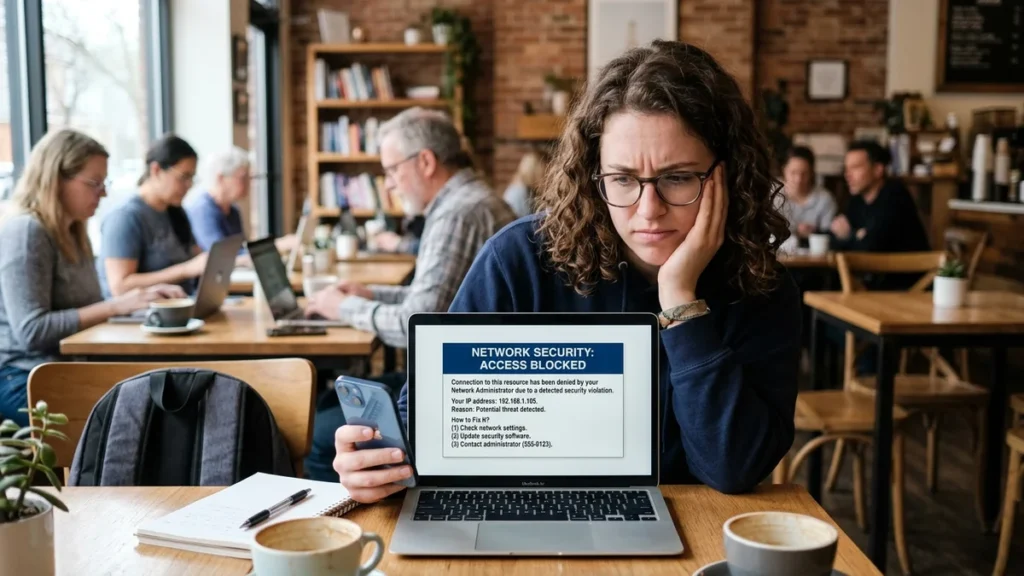
The first time I saw the message “you’ve been blocked by network security” on Reddit, I was confused. I hadn’t done anything wrong—just browsing my favorite subreddits. In my analysis of this common error, I have found that this message appears when a platform’s automated security systems flag your connection as suspicious. From my perspective, understanding why this happens and how to fix it is essential for anyone who spends time online.
Based on the available evidence, this error occurs when security filters detect unusual traffic patterns, VPN usage, or suspicious IP addresses. Platforms like Reddit use these systems to protect against spam, bots, and scraping . Let us consider what this message means, what causes it, and how you can resolve it quickly.
Executive Summary: Understanding the “Blocked by Network Security” Error
| Aspect | Key Information |
|---|---|
| What It Means | Security system detected unusual traffic patterns from your connection |
| Common Causes | VPN usage, shared IP addresses, suspicious activity patterns, browser extensions |
| Quick Fixes | Disable VPN, clear cookies, switch networks, restart router |
| Duration | Most blocks are temporary, lasting minutes to hours |
| Not a Ban | Usually an IP-level block, not account-specific |
| When to Contact Support | If block persists after troubleshooting and you’re not using a VPN |
In my view, the most important takeaway is that this error is usually temporary and fixable. You haven’t necessarily done anything wrong—your connection simply triggered security filters.
What Does “You’ve Been Blocked by Network Security” Mean?
The Message Explained
When you see “you’ve been blocked by network security” on Reddit or similar platforms, it means their automated security system has flagged your connection as potentially suspicious. This doesn’t necessarily mean you’ve violated any rules—it often means your traffic patterns match those that security systems associate with bots, scrapers, or spam .
The message typically appears as a brief notification with no explanation, which understandably creates confusion. The platform’s security system is designed to be strict, preferring to block legitimate users occasionally rather than let malicious activity through .
The Technical Reality
According to security analysis, this error is generated by Web Application Firewalls (WAFs) and similar security layers. These systems inspect incoming traffic and make real-time decisions about whether to allow or deny access . The block can happen at different levels:
| Level | What It Affects | Common Triggers |
|---|---|---|
| IP Address | All users sharing that IP | VPN usage, public Wi-Fi, previous abuse |
| Account | Specific user only | Suspicious activity patterns |
| Device/Browser | Specific device | Browser extensions, fingerprinting |
The security system checks multiple signals, including IP reputation, browser information, cookies, and request patterns .
Why Does This Happen? Common Causes Explained
VPN and Proxy Detection
One of the most common triggers is using a VPN or proxy. Platforms like Reddit frequently blacklist IP ranges associated with free VPNs and shared proxy services . When hundreds of users share the same exit IP address, the platform may flag that traffic as suspicious .
As one analysis explains, “If someone else using that same IP has done something suspicious, security systems may block it automatically, even if you haven’t done anything wrong” . This means you can be blocked simply because another user on the same VPN server engaged in abusive activity.
Suspicious IP Reputation
Your IP address might be on a blacklist even if you’ve done nothing wrong. This can happen if:
- Your IP was previously used by someone engaged in spam or bot activity
- You’re using a public Wi-Fi network with a history of abuse
- Your ISP assigned you a dynamic IP that was previously flagged
- Your geographic region has been restricted for legal or security reasons
Unusual Traffic Patterns
Security systems monitor how you interact with the platform. Behavior that can trigger blocks includes:
| Trigger | Why It Causes Blocks |
|---|---|
| Too many actions in short time | Looks like automated bot behavior |
| Repeated identical comments | Pattern-matching for spam |
| Creating multiple accounts | Common spammer tactic |
| Rapid subreddit joining | Unnatural user behavior |
Browser Extensions and Fingerprinting
Security systems don’t just look at IP addresses. They also check browser and device information, including cookies, screen size, language settings, and timezone . If these signals frequently change, it can trigger security filters.
Aggressive extensions that block scripts or modify HTTP requests can also cause false flags. One Reddit user reported that when using a program to download content, they received the error even though they could access the site normally in their browser .
Automated Tools and Scripts
If you’re using any automated tools, scrapers, or scripts to interact with a platform, security systems will likely block you. Even legitimate users who accidentally make too many requests too quickly can trigger these protections.
VPN connections can sometimes complicate website access because security systems may treat certain IP addresses or traffic patterns as suspicious. However, a network-security block does not automatically mean that a VPN is the cause. Users should check their connection settings and the website’s guidance before changing services. For a related discussion of VPN reliability and privacy concerns, read our guide to SSRDog and VPN service risks.
How to Fix It: Step-by-Step Solutions
Quick Fix Checklist
Based on the available evidence, here are the most effective solutions :
Step 1: Disable Your VPN or Proxy
This is often the quickest fix. If you’re using a VPN, disconnect and try accessing the site again. If it works, your VPN’s IP address was blacklisted .
Step 2: Clear Cookies and Cache
Stored session data can trigger blocks. Clear cookies specifically for the affected site, restart your browser, and try again .
Step 3: Switch Networks
Try accessing the site using a different network—mobile data instead of Wi-Fi, or a different Wi-Fi network. If it works, the issue is with your original network’s IP .
Step 4: Restart Your Router
Turning your router off for 10-30 seconds prompts your ISP to assign a new IP address . Wait a moment before turning it back on. Check your IP after reconnecting to confirm it has changed.
Step 5: Try Incognito/Private Mode
This avoids stored cookies and cache issues without deleting your preferences .
Step 6: Disable Browser Extensions
Temporarily turn off extensions that modify page content, block scripts, or enhance privacy. These can sometimes trigger false security flags .
Step 7: Use a Different Browser
If the issue persists, try accessing the site with a different browser to isolate device-specific problems.
Step 8: Wait It Out
Many blocks are temporary and resolve on their own within 15-30 minutes .
When to Contact Support
If none of the above solutions work, and you’re not using a VPN or proxy, you may need to contact the platform’s support team . Be prepared to provide:
| Information | Why It Helps |
|---|---|
| Your public IP address | Allows support to check if it’s blacklisted |
| Screenshot of the error | Demonstrates the exact issue |
| Whether you’re using a VPN or proxy | Helps narrow down the cause |
| Steps you’ve already taken | Saves time on basic troubleshooting |
Preventing Future Blocks
Best Practices for Uninterrupted Access
Use Reputable VPNs: If you must use a VPN, choose premium services with less abused IP ranges. Free VPNs are more frequently blacklisted .
Limit Automation: Avoid using automated tools or scripts that make rapid, repeated requests.
Manage Extensions: Be aware that privacy-focused extensions can sometimes trigger security flags. Test by disabling them temporarily.
Clear Cookies Regularly: Regularly clear browsing data to avoid stored session issues.
Understanding the Duration of Blocks
Most blocks are temporary. As one analysis notes, “Most IP blocks are temporary and will last for only a few minutes. You can try to access the server using your regular IP after 15 to 30 minutes” . If a block persists beyond 24 hours and you haven’t repeated the triggering behavior, it’s worth contacting support.
Comparison: Common Causes vs. Recommended Fixes
| Cause | Quick Fix | Prevention |
|---|---|---|
| VPN/Proxy Detection | Disconnect and retry | Use different VPN server or avoid VPN |
| Bad IP Reputation | Restart router for new IP | Avoid using public Wi-Fi for sensitive sites |
| Unusual Traffic Patterns | Slow down activity | Don’t use automated tools |
| Browser Extensions | Disable extensions temporarily | Use minimal extensions |
| Stored Cookies | Clear cookies | Use incognito mode regularly |
Conclusion
Throughout this exploration of the “you’ve been blocked by network security” error, I have found that this message is typically a temporary security measure rather than a personal ban. The practical lesson is that understanding the cause helps you fix the issue quickly and prevent it from recurring.
I believe the central insight is that platforms use automated security systems to protect their communities, and sometimes legitimate users get caught in these filters. The most common triggers are VPN usage, shared IP addresses, and unusual browsing patterns.
From my perspective, the best approach is to follow the step-by-step troubleshooting process. Most blocks resolve with simple changes like switching networks or restarting your router. For those interested in exploring more about online security and digital troubleshooting, resources like those available at WordPlay-2018 can provide additional insights.
Frequently Asked Questions
What does “you’ve been blocked by network security” mean?
This message means a platform’s security system has flagged your connection as potentially suspicious. It’s typically triggered by VPN usage, shared IP addresses, or traffic patterns that resemble automated activity . It doesn’t necessarily mean you’ve done anything wrong.
Is this a permanent ban?
No, this is usually a temporary block. Most blocks resolve within 15-30 minutes, though some may last longer . It’s an IP-level block, not an account-specific ban.
Can I get blocked for using a VPN?
Yes, many platforms, especially Reddit, frequently block IP ranges associated with VPNs, particularly free services . If your VPN’s IP address has been used by others for suspicious activity, you may be blocked.
How long does a network security block last?
Most blocks are temporary and last from a few minutes to a few hours . If the block persists beyond 24 hours, contact the platform’s support team for assistance.
What should I do if I keep getting blocked?
Try disabling your VPN, clearing cookies, using a different network, or restarting your router . If the issue persists, contact the platform’s support team with details about your situation.
Can browser extensions cause this error?
Yes, aggressive privacy or ad-blocking extensions can sometimes trigger security filters . Try disabling extensions temporarily to see if they’re causing the issue.
Sources
- “Reddit「You’ve been blocked by network security」の原因と解除方法.” AdsPower, May 2026.
- “block-message (Application Firewall).” Juniper Networks Documentation, November 2023.
- “Windows 11 automatically blocks non-local subnet RDP connections.” Microsoft Q&A, July 2025.
- “ทางแก้เมื่อ Reddit ขึ้นเตือน You’ve Been Blocked by Network Security.” AdsPower, May 2026.
- “default-rule.” Juniper Networks Documentation.
- “Resolving the Error ‘(1,5) Access Denied’.” GFI Software, March 2025.
- “Why is Your IP Blocked? Troubleshooting IP Address Blocking.” Liquid Web, March 2026.
- “[Reddit] You’ve been blocked by network security.” GitHub Issue #8641, December 2025.
- “Indicatoren maken voor IP’s en URL’s/domeinen.” Microsoft Defender for Endpoint, November 2024.
- “Oracle RAC のユーザ権限.” Splunk, March 2026.
- “Recent answers to dis-enable blocking of a site.” Mozilla Support, February 2025.
- “Using Basecamp with a VPN.” Basecamp Help, May 2026.
- “How To Fix ‘You’ve Been Blocked By Network Security’.” WhoerIP, June 2025.
- “About message blocking.” Broadcom TechDocs, December 2025.
- “SSH and WinRM Troubleshooting.” Harness Developer Hub, December 2024.
Disclaimer
This article provides general information about network security blocks for informational and educational purposes. The analysis is based on available public information and may not reflect the most current security policies or practices of any platform. The views expressed are those of the author based on available evidence.

Faizullah Baig
Entertainment & Digital Culture Writer at WordPlay2018
Faizullah Baig is a writer at WordPlay2018 covering entertainment, celebrity news, movies, television, pop culture, and digital trends.
His work focuses on explaining current entertainment stories in a clear and reader-friendly way, with attention to the details behind trending headlines.
Areas of Coverage
Faizullah primarily covers:
Celebrity news and profiles
Movies and television
Entertainment industry developments
Celebrity relationships and public appearances
Trending pop-culture stories
Digital culture and online trends
Editorial Approach
Faizullah aims to distinguish confirmed information from reports, estimates, and speculation. For developing stories, information may be updated as additional reliable details become available.
Articles published under his name are intended to provide readers with useful context rather than simply repeat a headline or social-media claim.
Contact
For corrections, questions, or feedback about an article published under Faizullah Baig’s name, please contact:
Publication: WordPlay2018
Role: Entertainment & Digital Culture Writer