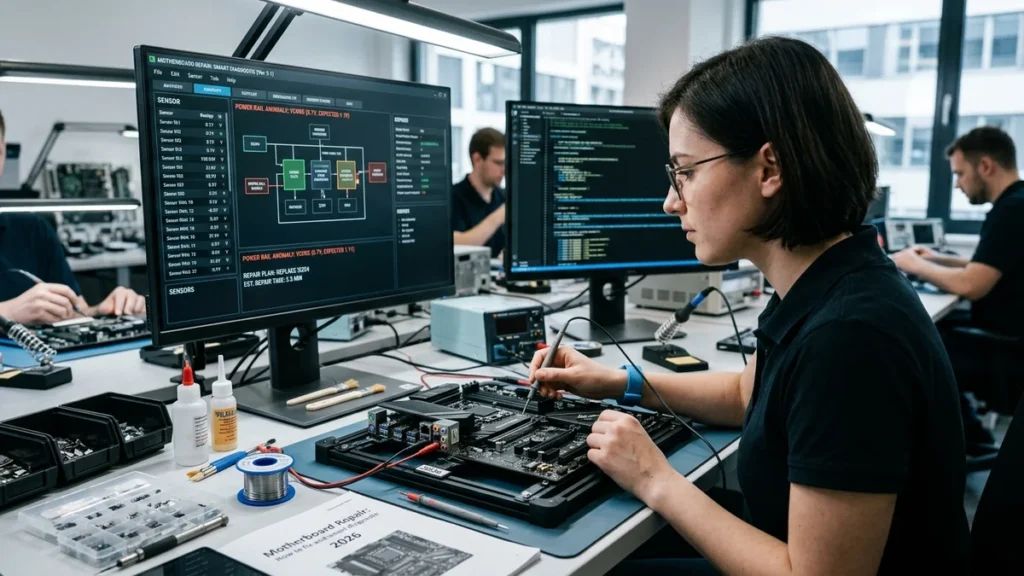
Motherboard Repair: How to fix and smart diagnostic 2026
The first time I heard a computer refuse to power on with that haunting silence, I realized how helpless most of us feel when a motherboard fails. In my analysis of the motherboard repair landscape, I have found that this critical component—the nervous system of any computer—can often be saved with the right approach. From my perspective, understanding when to repair, when to replace, and what actually causes motherboard failure is essential for anyone who wants to avoid unnecessary expenses and data loss.
Based on the available evidence, motherboard repair costs typically range from $150 to $400 for desktop computers and $200 to $400 for laptops. Component-level repairs like capacitor replacement or simple power circuit fixes run $150 to $400, while complex repairs like BGA reflow or chip replacement can cost $300 to $600. Let us consider the full scope of what motherboard repair entails and how to make the right decision for your situation.
Executive Summary: What You Need to Know About Motherboard Repair
| Aspect | Key Information |
|---|---|
| Desktop Repair Cost | $150–$400 |
| Laptop Repair Cost | $200–$400 |
| Component-Level Repair | $150–$400 |
| Complex Repair (BGA/Chip) | $300–$600 |
| Repair vs. Replacement | Repair typically costs 30-60% of replacement cost |
| Typical Turnaround | 2–5 days |
| When to Replace | When repair costs exceed 50% of replacement value |
| Common Failures | Capacitors, MOSFETs, power circuits, bent pins |
In my view, the most important takeaway is that motherboard repair is often a viable and cost-effective alternative to replacement. With the right diagnosis, many motherboards can be restored to full functionality for a fraction of the cost of a new board.
Understanding Motherboard Failure: Common Symptoms
Before you can decide on repair, you need to know if your motherboard is actually failing. In my analysis, several key symptoms indicate motherboard trouble.
The System Won’t Power On
Total silence when you press the power button is often the most alarming symptom. However, a dead system is more often caused by a dead power supply than a dead motherboard, so the first step in troubleshooting an apparently dead motherboard is to swap in a known-good power supply.
Inconsistent POST or Boot Loops
If your computer powers on but fails to complete the Power-On Self-Test (POST), or if it gets stuck in a boot loop, this strongly indicates motherboard issues. A failure to pass the POST process is the most frequent symptom of motherboard failure.
Random Freezes and Instability
Strange instability that starts after a build, random freezes, and Blue Screen of Death (BSOD) errors can all point to motherboard problems. If RAM slots, PCIe slots, or USB ports randomly stop working, this is another sign.
Physical Damage
Visual inspection can reveal obvious problems. Check for bulging capacitors, which appear swollen on top, or leaking electrolyte. A burning odor is also a clear warning sign. Peripherals that are not recognized, or strange lines on the monitor (especially with integrated video), can also indicate motherboard failure.
Common Causes of Motherboard Failure
Based on the available evidence, several factors contribute to motherboard failure. Understanding these causes can help with prevention and diagnosis.
Blown Capacitors
A common cause of motherboard issues is blown capacitors. These components can fail due to heat, age, or poor manufacturing quality. Capacitors near the power section, usually located around the CPU, tend to fail after 5 or 6 years, possibly faster if you have a cheap power supply. A distended capacitor is one that becomes swollen, which causes the capacitor to rupture and damage the motherboard.
Power Supply Issues
A faulty power supply can send incorrect voltages to the motherboard, causing component failure. A power surge can also damage the board. If you suspect a power issue, testing with a known-good power supply is essential.
Improperly Installed Components and Short Circuits
Incorrectly installed components, such as RAM or CPU, can cause shorts and damage the motherboard. A short circuit can occur if the motherboard contacts the case improperly, or if a component is installed incorrectly.
Electrostatic Discharge (ESD)
ESD can damage sensitive motherboard components, sometimes in ways that are not immediately obvious. It’s crucial to handle components with proper anti-static precautions.
Liquid Damage and Corrosion
Liquid spills are a common cause of motherboard failure. Corrosion on the board can create shorts and damage traces. Even humidity and dust in a factory environment can lead to corrosion over time.
BIOS Corruption
A failed BIOS update can render a motherboard unbootable. However, many modern motherboards have recovery options, such as a backup BIOS or the ability to clear the CMOS to reset settings.
DIY Motherboard Repair: What You Can Fix Yourself
In my analysis, some motherboard repairs are within reach of a determined hobbyist, while others require professional equipment and skills. The key is to accurately assess the problem and your capabilities.
Diagnosing the Problem
Start by clearing the CMOS and reseating the RAM and CPU to resolve firmware or connection issues. This simple step can fix many problems. Check for physical damage like bulging capacitors or burn marks. If you have a multimeter, you can check for shorts on the 19V (laptop) or 12V (PC) rails.
Capacitor Replacement
Replacing a faulty capacitor can resolve issues like random crashes, blue screens, and failure to boot. To replace a capacitor, you will need a soldering iron, new capacitors with the same specifications (voltage and capacitance), and ideally, a solder sucker or desoldering braid. The process involves desoldering the old capacitor and soldering in the new one. However, if you lack soldering experience, it’s easy to damage the motherboard further. Motherboard replacement is usually the best solution if you are not confident in your skills.
MOSFET Replacement
Replacing a blown MOSFET is more complex. You can use a heat-insulating barrier to protect neighboring components during desoldering. Apply plenty of flux, preferably a no-residue flux. This is a delicate procedure that requires skill and the right equipment.
BIOS Recovery
If a BIOS update goes wrong, your first line of defense is to clear the CMOS. Power off your PC, unplug the power cord, and press the Clear CMOS button (sometimes labeled “CLR_CMOS”) for roughly 5-10 seconds. Some motherboards also have a backup BIOS that you can switch to.
When DIY Is Not Recommended
Most people do not have the knowledge or the tools to repair motherboards, and the cost to pay someone who knows how and has the tools is often not worth it, as you can very easily just buy a new one. If the repair involves BGA rework or chip-level soldering, it is best left to professionals.
Professional Motherboard Repair: What to Expect
If your motherboard is beyond DIY repair, professional services offer a viable path to recovery. Based on my research, here is what to expect.
The Repair Process
A professional repair typically begins with a diagnosis to identify the specific fault. If the board is fixable, the technician will perform component-level repairs, such as replacing capacitors, MOSFETs, or other damaged components. They may also perform BGA reflow or chip replacement for more complex issues.
Turnaround Time
Most repairs take 2 to 5 days. Some services offer faster turnaround for an additional fee.
Warranty
Many professional repair services offer a warranty on their work. Some repairs are even covered under the original manufacturer’s warranty if performed by an authorized service center.
Choosing a Repair Service
When choosing a repair service, look for positive reviews and a clear communication process. For example, a Trustpilot-reviewed repair service with a 4.7 out of 5 rating shows customers praising their clear communication and high-quality work. Another repair service resolved a blown motherboard capacitor within 24 hours for only $99. Some electronics repair services are also noted for their professional service and aggressive pricing.
Motherboard Repair Cost Breakdown in 2026
Based on the available evidence, here is a detailed breakdown of motherboard repair costs in 2026.
Desktop Motherboard Repair
| Repair Type | Typical Cost | Turnaround |
|---|---|---|
| Diagnosis | $50–$100 | 1–2 days |
| Capacitor Replacement | $150–$250 | 2–3 days |
| Power Circuit Repair | $150–$300 | 2–3 days |
| BGA Reflow/Chip Replacement | $300–$600 | 3–5 days |
| Full Motherboard Repair | $150–$400 | 2–5 days |
Laptop Motherboard Repair
| Repair Type | Typical Cost | Turnaround |
|---|---|---|
| Diagnosis | $50–$100 | 1–2 days |
| Simple Component Repair | $186–$250 | 3–5 days |
| Power Circuit Repair | $250–$400 | 3–5 days |
| Trace Restoration | $300–$500 | 3–5 days |
| Full Motherboard Repair | $200–$400 | 3–5 days |
Factors Affecting Cost
Several factors influence the final cost of motherboard repair. The complexity of the repair is a primary factor—simple component replacement is less expensive than BGA rework. The type of device also matters; laptop repairs are generally more expensive due to the increased labor involved. The age and availability of parts can also affect the cost. Geographic location plays a role, with prices varying by region. Finally, the service provider’s expertise and reputation can influence pricing.
Repair vs. Replacement: Making the Right Decision
In my analysis, deciding whether to repair or replace a motherboard depends on several factors.
The 50% Rule
A common rule of thumb is that if the repair would cost more than 50% of a sensible replacement—or more than 50% of the realistic resale value of the machine—it’s time to consider replacing the entire system.
Cost Comparison
If the repair is significantly cheaper than replacement and your system meets your performance needs, repair is a viable option. When repair costs approach or exceed the price of a new motherboard, replacement is the better choice. Repairs typically cost about 30-60% of replacement cost, whereas a comparable new board may cost $150-$400.
Age of the Computer
If your computer is more than 3-5 years old, replacement may be more cost-effective than repair. A new motherboard could also allow for a system upgrade.
Data and Component Preservation
Repairing a motherboard can preserve your data and other components, such as the CPU, RAM, and storage drives. Replacement may require a complete system rebuild.
When Repair Is the Better Choice
Repair still makes sense when the machine is good, useful, and not actually at the end of its life. If the fault is simple, such as a blown capacitor, repair is often the most economical option. If your system contains valuable components that would be expensive to replace, repairing the motherboard can be more cost-effective. And if you have critical data that is difficult to migrate, preserving the existing system through repair may be the best option.
When Replacement Is the Better Choice
If repair costs are close to or exceed the price of a new motherboard, it’s better to replace the board and potentially upgrade your system. On a desktop, replacement is almost always viable. If your system is more than 5 years old, replacement is often the more sensible choice.
Comparison of Repair vs. Replacement
| Factor | Repair | Replacement |
|---|---|---|
| Cost | $150–$600 | $150–$400+ for new board |
| Data Preservation | Yes, data remains intact | May require data migration |
| Component Preservation | Yes, CPU, RAM, drives are kept | May require new components |
| Time | 2–5 days | 1–3 days for new board |
| Upgrade Potential | None | Can upgrade to newer technology |
| Warranty | Limited (often 30–90 days) | Full manufacturer warranty |
| Best For | Simple faults, valuable components, data preservation | Multiple faults, old systems, upgrade opportunities |
Frequently Asked Questions
What are the signs of a dead motherboard?
Common signs include the system not powering on at all, inconsistent POST, random freezes, BSOD errors, RAM or USB ports not working, a burning odor, or bulging capacitors.
How much does motherboard repair cost in 2026?
Desktop motherboard repair typically costs $150–$400, while laptop repair ranges from $200–$400. Component-level repairs like capacitor replacement run $150–$400, and complex repairs like BGA reflow can cost $300–$600.
Is it worth repairing a motherboard?
Yes, if the repair cost is significantly less than replacement and your system meets your performance needs. Repairs typically cost 30-60% of replacement cost, making them a viable option for many users.
Can I repair a motherboard myself?
Some repairs, like capacitor replacement, are possible for those with soldering skills. However, most people do not have the knowledge or tools to repair motherboards. Complex issues like BGA rework should be left to professionals.
How long does motherboard repair take?
Most repairs take 2 to 5 days. Some services offer faster turnaround for an additional fee.
What is the most common cause of motherboard failure?
Blown capacitors are a very common cause. Power supply issues, improper component installation, electrostatic discharge, and liquid damage are also frequent causes.
When should I replace my motherboard instead of repairing it?
If repair costs exceed 50% of the cost of a replacement, or if your system is more than 5 years old, replacement is often the better choice. If the motherboard has multiple faults, replacement is also usually more cost-effective.
Sources
- “How to Repair Computer Motherboard: PC & Laptop Fixes 2026.” PC ReFix, February 2026.
- “Computer Repair Cost in 2026: Actual Price Ranges.” Tech Repair DFW, March 2026.
- “When to Repair vs. Replace Your PC Motherboard.” ABQ Computer Pros, February 2025.
- “Common Motherboard Failure Modes.” iFixit.
- “How to Replace a Capacitor on a Computer Motherboard.” Computer Hope, September 2025.
- “Motherboard Repair Reviews.” Trustpilot, 2026.
- “Motherboard Repair Experiences.” Reddit, 2025-2026.
Disclaimer
This article provides general information about motherboard repair for informational and educational purposes. The analysis is based on available public information and may not reflect the most current practices, pricing, or availability of services. This article does not constitute professional repair advice. Always consult a qualified technician for specific repair needs and follow proper safety precautions when working with electronic components. The views expressed are those of the author based on available evidence.

Faizullah Baig
Entertainment & Digital Culture Writer at WordPlay2018
Faizullah Baig is a writer at WordPlay2018 covering entertainment, celebrity news, movies, television, pop culture, and digital trends.
His work focuses on explaining current entertainment stories in a clear and reader-friendly way, with attention to the details behind trending headlines.
Areas of Coverage
Faizullah primarily covers:
Celebrity news and profiles
Movies and television
Entertainment industry developments
Celebrity relationships and public appearances
Trending pop-culture stories
Digital culture and online trends
Editorial Approach
Faizullah aims to distinguish confirmed information from reports, estimates, and speculation. For developing stories, information may be updated as additional reliable details become available.
Articles published under his name are intended to provide readers with useful context rather than simply repeat a headline or social-media claim.
Contact
For corrections, questions, or feedback about an article published under Faizullah Baig’s name, please contact:
Publication: WordPlay2018
Role: Entertainment & Digital Culture Writer