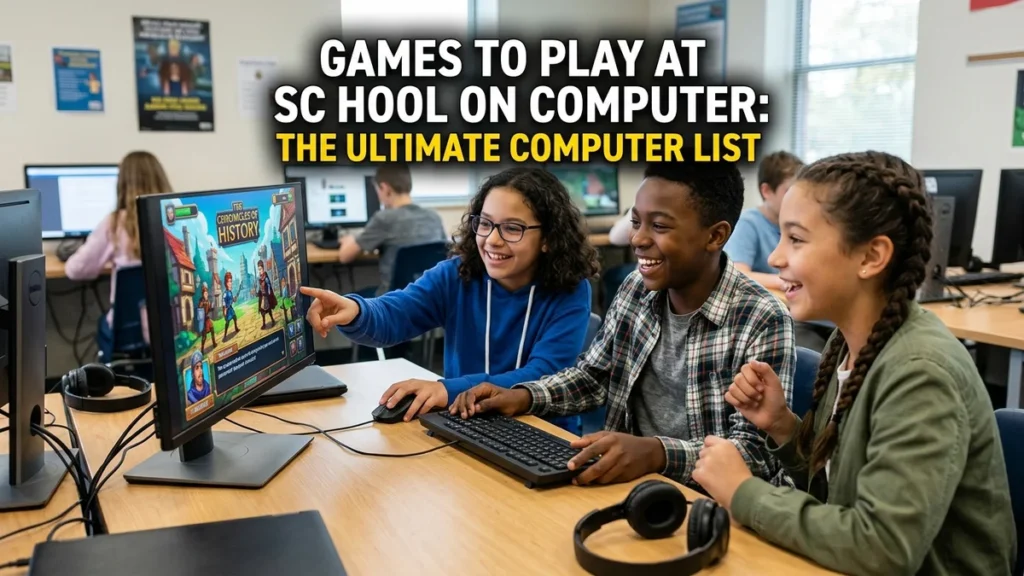
Games to play at school on computer: The Ultimate Computer List
When I think back to my school days (Games to play at school on computer), I remember the quiet hum of computer labs, the glow of monitors, and the occasional frantic clicking that betrayed someone sneaking in a game during free time. For students today, the computer serves as an essential tool for learning, but it also provides a gateway to entertainment during breaks, study halls, or those rare moments when classwork finishes early.
In my view, finding good games to play at school on a computer is about more than just killing time. Based on the available evidence, the best school-friendly games strike a balance between being fun, engaging, and subtle enough to avoid drawing unwanted attention. These games run in browsers, require no downloads, and often slip past school filters because they look like educational tools.
I have found that the world of unblocked school games is vast and varied. From classic puzzle games like Tetris and 2048 to fast-paced runners like Slope and Snow Rider 3D, there is something for every taste and every available window of time. Let us explore together the best games to play at school on a computer, how to find them, and how to stay safe while playing.
Key Takeaways
Before I dive into the full exploration, let me summarise the most important points I have identified:
- The best games to play at school on a computer run in browsers, require no downloads, and often look educational to bypass school filters.
- Puzzle and strategy games like 2048, Sudoku, Tetris, and Chess rank among the safest choices because they resemble learning tools.
- Action and racing games like Slope, Run 3, and Snow Rider 3D offer quick, adrenaline-filled breaks that work well for short periods.
- Multiplayer and .io games like Slither.io, Agar.io, and 1v1.LOL provide competitive fun but may demand more attention.
- Educational games like Coolmath Games, Hooda Math, and typing games allow students to play openly without fear of getting caught.
- Students should always follow school rules, use games responsibly, and prioritise their studies over gaming.
These takeaways set the stage for a deeper look at the best computer games for school, along with practical tips for finding and playing them.
What Makes a Good School Computer Game?
Before I list specific games, let me explain what I look for when choosing games to play at school on a computer. The best school games share several important characteristics.
Browser-Based and No Downloads
The most important feature of a good school game is that it runs entirely in a web browser. School computers typically restrict software installations and downloads, so browser-based games offer the only practical option. As one guide notes, “The best school games are browser-based so they work without downloads or admin access.”
Unblocked or Educational-Looking
School networks often block gaming sites, but many games slip through because they look like educational tools. Games like 2048, Sudoku, and Typing Speed “almost never trigger school blocks because they look like educational tools.” This clever strategy allows students to enjoy games without raising red flags.
Quick to Start and Easy to Pause
School breaks are often short, so the best games are those that you can start instantly and pause or close quickly if a teacher walks by. Quick games like Minesweeper, Connect Four, and Tic-Tac-Toe work perfectly for between classes.
Low System Requirements
School computers are not gaming rigs. The best school games have low system requirements and run smoothly on older hardware, Chromebooks, and school laptops.
| Feature | Why It Matters |
|---|---|
| Browser-based | No downloads or admin access needed |
| Unblocked or educational-looking | Avoids school filters |
| Quick to start | Fits into short breaks |
| Low system requirements | Runs on school computers |
| Free | No cost to students |
In my analysis, these features ensure that you can enjoy games without technical problems or unwanted attention.
The Best Puzzle and Strategy Games for School
Puzzle and strategy games are perhaps the safest category of games to play at school on a computer. They look academic, require thinking, and are often genuinely educational.
2048 – The Addictive Number Merger
2048 stands as one of the most popular games to play at school. The goal remains simple: slide tiles on a grid to combine matching numbers and reach the tile 2048. Players find it easy to learn but difficult to master. As one source notes, 2048 is a “number puzzle that challenges your planning skills with simple swipe controls.” Many unblocked game sites offer this game, and schools frequently leave it unblocked because it looks like a math game.
Sudoku – The Classic Logic Puzzle
Sudoku requires logical thinking and attention to detail. Players place numbers in a grid so that each row, column, and subgrid contains all digits from 1 to 9. It is “one of the safest picks” for school because it “genuinely look[s] like math worksheets.” Countless websites offer Sudoku at various difficulty levels.
Tetris – The Timeless Classic
Tetris remains perhaps the most iconic puzzle game of all time. It also ranks among the best games to play at school on a computer because it is simple, addictive, and often unblocked. As one guide puts it, Tetris is a “classic puzzle” that is “timeless.” The game challenges players to fit falling blocks together, requiring quick thinking and spatial awareness.
Chess – The Ultimate Strategy Game
Chess stands as the ultimate strategy game and one of the few games that students can play openly at school without raising eyebrows. Chess.com and other chess platforms are “frequently left unblocked because they are categorized as educational.” Chess develops critical thinking, planning, and patience.
Nonogram – Picture Logic Puzzles
Nonogram, also known as Picross or Griddlers, uses numbers to reveal a hidden picture. The game requires “deductive reasoning” and “pattern recognition.” Like Sudoku, it looks like a harmless educational activity.
Wordle and Nerdle – Word and Math Puzzles
Wordle, the daily word puzzle, has become a cultural phenomenon. It works great for school because it is quick and looks like a vocabulary exercise. For math lovers, Nerdle offers a math version of Wordle that involves “order of operations” and “arithmetic.” Both make excellent choices for school.
| Puzzle/Strategy Game | Why It’s Great for School |
|---|---|
| 2048 | Looks like a math game, highly addictive |
| Sudoku | Looks like a worksheet, develops logic |
| Tetris | Timeless classic, improves spatial awareness |
| Chess | Educational, develops critical thinking |
| Nonogram | Pattern recognition, deductive reasoning |
| Wordle / Nerdle | Quick, looks like vocabulary or math practice |
In my view, puzzle and strategy games offer the best choice for students who want to play games at school without drawing attention. They genuinely benefit the brain and are unlikely to get you in trouble.
The Best Action and Arcade Games for School
For students who prefer fast-paced action, plenty of excellent action and arcade games work well on school computers.
Slope – The 3D Ball Roller
Slope ranks as one of the most popular unblocked games in schools. Players guide a ball down a slope, avoiding obstacles and staying on the track. Slope is “the #1 most played game” on many unblocked game sites. It is fast, addictive, and perfect for short breaks.
Run 3 – The Endless Space Runner
Run 3 offers an endless running game set in outer space. You control a character running through tunnels, jumping over gaps, and avoiding obstacles. It is “the classic” and “endless running in outer space.” Run 3 appears widely on unblocked game sites.
Snow Rider 3D – The One Everyone Knows
Snow Rider 3D is a sledding game where you race down a snowy mountain, avoiding trees and collecting gifts. Sources describe it as “The One Everyone Knows” and it requires “fast reflexes.” It is simple, fun, and highly addictive.
Fireboy and Watergirl – The Two-Character Puzzle
Fireboy and Watergirl presents a two-character puzzle game where you control both characters simultaneously to solve platform challenges. It is a “classic” game that requires “coordinate movement.” It is particularly fun to play with a friend.
OvO – The Parkour Platformer
OvO offers a parkour platformer that “actually feels good” to play. It involves jumping, sliding, and running through levels with precise timing. It is a great choice for students who enjoy skill-based challenges.
Drift Hunters – The Car Drifting Game
Drift Hunters is a driving game that lets you drift cars around tracks. It is “everyone wants to drift a Lambo.” The game involves “driving and customization” with WASD or arrow keys.
| Action/Arcade Game | Why It’s Great for School |
|---|---|
| Slope | Fast-paced, addictive, #1 played game |
| Run 3 | Endless running, classic school game |
| Snow Rider 3D | Simple, fun, popular |
| Fireboy and Watergirl | Cooperative puzzle-platformer |
| OvO | Smooth parkour, skill-based |
| Drift Hunters | Car drifting, customization |
In my analysis, action games work perfectly for when you need a quick adrenaline rush during a break. However, they may draw more attention than puzzle games, so use them wisely.
The Best Sports and Multiplayer Games for School
For students who enjoy competition, many sports and multiplayer games work well on school computers.
Basketball Stars – The One-on-One Basketball Game
Basketball Stars offers a one-on-one basketball game where you compete against another player or the computer. It ranks among the most popular unblocked games and appears widely.
Retro Bowl – The Football Management Game
Retro Bowl presents a football management game with a retro aesthetic. Sources describe it as “football management” and it stands as one of the most popular unblocked games. It works perfectly for sports fans who enjoy strategy and management.
1v1.LOL – The Fortnite-Style Battle Game
1v1.LOL offers a battle game where you build and shoot in Fortnite-style battles. It ranks among the most popular unblocked games and appears widely. It is fast-paced and competitive.
Slither.io – The Snake Game
Slither.io presents a multiplayer snake game where you control a snake and try to grow by eating glowing orbs while avoiding other snakes. It is a classic .io game that is “unblocked on school Chromebooks.” It is simple, addictive, and fun to play with friends.
Agar.io – The Cell Game
Agar.io offers a multiplayer game where you control a cell and try to grow by eating smaller cells while avoiding larger ones. It is “the cell game” and appears widely on unblocked game sites.
| Sports/Multiplayer Game | Why It’s Great for School |
|---|---|
| Basketball Stars | One-on-one competition, popular |
| Retro Bowl | Football management, retro style |
| 1v1.LOL | Fortnite-style battles, competitive |
| Slither.io | Multiplayer snake, addictive |
| Agar.io | Multiplayer cell game, strategic |
In my view, multiplayer games work best during longer breaks or lunch periods when you have time to focus. They also provide great opportunities for playing with friends.
The Best Typing and Educational Games for School
Typing and educational games are perhaps the most school-friendly games of all. Students can play them openly without fear of getting caught, and they genuinely benefit skill development.
Typing Games – Improve Your Keyboard Skills
Typing games offer a fantastic way to improve your keyboard skills while having fun. Rocket Fuel is a free typing game where “every word you type adds fuel to the rocket.” It runs in the browser and works on computers, Chromebooks, and tablets.
Other excellent typing games include Dance Mat Typing, which is a four-level touch typing program with fun animation, and Fort Dactylo, which is a free typing game that “leaves no student on the edge of the keyboard.”
Coolmath Games – The Classic Educational Site
Coolmath Games is a classic educational game site that offers a collection of “logic, strategy, and puzzle games.” Despite the name, it hosts many popular games like Run 3 and Fireboy and Watergirl. Schools “frequently leave [it] unblocked because [it is] categorized as educational.”
Hooda Math – Math Games and Logic Puzzles
Hooda Math offers “fun, educational math games and logic puzzles.” It serves as a great resource for students who want to practice math skills while playing games.
Blooket – The Classroom Quiz Game
Blooket is a quiz game that teachers often use in the classroom, but it also has solo modes where students can play against AI opponents. It is a fun and educational game that is unlikely to face blocking.
| Typing/Educational Game | Why It’s Great for School |
|---|---|
| Rocket Fuel | Free typing game, builds keyboard skills |
| Dance Mat Typing | Fun animation, four levels |
| Coolmath Games | Logic, strategy, puzzle games |
| Hooda Math | Math games and logic puzzles |
| Blooket | Classroom quiz game, solo modes |
In my analysis, typing and educational games offer the safest choices for playing at school. They are genuinely beneficial and allow students to play openly without risk.
How to Find Unblocked Games for School
Finding games to play at school on a computer can prove tricky because school networks often block gaming sites. Here are some strategies that I have found useful.
Search for “Unblocked Games”
Searching for “unblocked games” offers the most direct way to find games that work on school networks. Sites like “Unblocked Games 66,” “Unblocked Games 76,” or “GitHub Games” are “hosted on sites that bypass standard school filters.”
Use Educational Game Sites
Educational game sites like Coolmath Games, Hooda Math, and Chess.com are “frequently left unblocked because they are categorized as educational.” These sites offer a wide variety of games that are both fun and school-friendly.
Try GitHub Repositories
GitHub hosts many collections of unblocked HTML5 games. One repository offers a “collection of free unblocked HTML5 browser games playable online with no downloads.” Another, NettleWeb, is a “free, open-source unblocked gaming platform designed for school or office users” with over 3000 games.
Use Browser Extensions
Browser extensions like “Classroom 6x Unblocked Games” allow you to play games directly in your browser. These extensions can provide a convenient way to access games without visiting blocked websites.
Search for Specific Games
Sometimes, searching directly for a game offers the easiest way to find it. Searching for “Slope unblocked” or “Run 3 unblocked” will often lead to working versions of the game.
Tips for Playing Games at School Responsibly
While playing games at school can provide a fun way to pass the time, it is important to do so responsibly. Here are some tips that I have found useful.
Follow School Rules
The most important rule is to follow your school’s rules. If your school prohibits gaming, respect that rule. Playing games when you should be working can get you into trouble and distract you from your studies.
Use Games as a Reward, Not a Distraction
Use games as a reward for completing your work, not as a way to avoid it. Finish your assignments first, and then enjoy a game during your free time.
Keep It Subtle
If you are playing a game during free time, keep it subtle. Avoid games with loud sounds or flashy graphics that might draw attention. Puzzle games generally offer safer choices than action games.
Be Prepared to Close Quickly
Always be ready to close a game quickly if a teacher walks by. Keyboard shortcuts like Alt+Tab or Ctrl+W can help you switch to a different tab or close a game instantly.
Protect Your Privacy
Be cautious about the websites you visit. Stick to well-known unblocked game sites and avoid sites that ask for personal information or downloads.
Games That Look Like Work
One of the smartest strategies for playing games at school is to choose games that look like work. Here are some games that particularly excel at flying under the radar.
2048 – The Math Game
2048 looks like a math game because it involves numbers and arithmetic. It makes a great choice for playing during free time without raising suspicion.
Sudoku – The Logic Puzzle
Sudoku looks like a logic puzzle or worksheet. It ranks as one of the safest games to play at school because it genuinely resembles educational material.
Typing Games – The Keyboard Practice
Typing games look like keyboard practice, which is a legitimate educational activity. They work perfectly for playing openly in a computer lab.
Chess – The Strategy Game
Chess looks like a strategy game that could belong to a chess club or educational activity. It is unlikely to face blocking or questioning.
Wordle – The Vocabulary Exercise
Wordle looks like a vocabulary exercise. It is quick, fun, and unlikely to draw attention.
The Benefits of Playing Games at School
While playing games at school should not interfere with learning, there are actually some benefits to playing games during breaks.
Stress Relief
Playing games can provide a great way to relieve stress and take a mental break from studying. A short game can help you relax and recharge.
Cognitive Development
Many games, especially puzzle and strategy games, develop cognitive skills like problem-solving, critical thinking, and pattern recognition.
Social Interaction
Multiplayer games can provide a fun way to socialise with friends and build relationships.
Skill Development
Typing games develop keyboard skills, which grow increasingly important in the digital age.
The Best Unblocked Game Sites
Here are some of the best sites for finding games to play at school on a computer.
| Site | Description | Why It’s Good |
|---|---|---|
| Coolmath Games | Logic, strategy, and puzzle games | Educational-looking, often unblocked |
| Hooda Math | Math games and logic puzzles | Educational, fun |
| GitHub Unblocked Games | Collections of HTML5 games | No downloads, wide variety |
| NettleWeb | 3000+ unblocked games | Free, open-source, proxy included |
| Sonsaur | Handpicked unblocked games | Fast, stressless fun |
| Unblocked Games 66/76 | Classic unblocked game sites | Wide variety, bypass filters |
In my view, these sites offer the best starting points for finding games to play at school. They are reliable, free, and offer a wide variety of options.
A Note on Safety
While unblocked game sites are generally safe, it is important to exercise caution. Some sites may contain ads or links that lead to malicious content. Stick to well-known sites and avoid clicking on suspicious links.
Students looking for browser-based games have several types of gaming platforms to explore, including sites that offer puzzle, arcade, and casual games. Before playing on a school device, students should follow their school’s technology policies and avoid suspicious links or downloads. For a related look at browser-based gaming and community-driven development, read our guide to MonkeyGG2 and its open-source gaming platform.
Conclusion
The world of games to play at school on a computer is vast and varied. From puzzle games like 2048 and Sudoku to action games like Slope and Snow Rider 3D, there is something for every taste and every available window of time. The best school games run in browsers, require no downloads, and often look educational enough to slip past school filters.
In my analysis, the central practical lesson is this: games can provide a fun and rewarding way to spend free time at school, but they should never come at the expense of your studies. Use games as a reward for completing your work, choose games that are appropriate for the setting, and always follow your school’s rules.
My advice is to explore the games and sites I have recommended, but always prioritise your education. A quick game during a break can help you relax and recharge, but your schoolwork should always come first. With the right approach, you can enjoy the best games to play at school on a computer without getting into trouble.
Frequently Asked Questions
What are the best games to play at school on a computer?
The best games to play at school on a computer include 2048, Sudoku, Tetris, Chess, Slope, Run 3, Snow Rider 3D, Fireboy and Watergirl, and typing games. These games run in browsers, require no downloads, and often slip past school filters because they look educational.
How can I play games at school without getting caught?
Choose games that look educational, such as 2048, Sudoku, or typing games. Keep the volume off, be ready to close the game quickly, and only play during free time or after completing your work. Avoid flashy action games that might draw attention.
What are unblocked games?
Unblocked games are games that school networks do not block. They typically reside on sites that bypass standard school filters. Many unblocked games run in browsers and require no downloads.
Are unblocked games safe?
Most unblocked games are safe, but it is important to exercise caution. Stick to well-known sites like Coolmath Games, Hooda Math, and GitHub repositories. Avoid clicking on suspicious links or downloading files.
What are the best unblocked game sites?
The best unblocked game sites include Coolmath Games, Hooda Math, GitHub unblocked games, NettleWeb, Sonsaur, and Unblocked Games 66/76. These sites offer a wide variety of free, browser-based games.
Can I play games on a school Chromebook?
Yes, many unblocked games work on school Chromebooks. The best games run in browsers and work on Chromebooks, school laptops, and iPads with no installation needed.
Are there educational games that are also fun?
Yes, many educational games are also fun. Typing games, math games, and logic puzzles like 2048 and Sudoku are both educational and enjoyable. Sites like Coolmath Games and Hooda Math offer a wide variety of educational games.
Sources
- Playbrain Games. “Best Games to Play in Class | Free, Unblocked.” March 15, 2026.
- Playbrain Games. “Best Games to Play at School | Free, No Download.” March 26, 2026.
- GameDuddles. “Best Unblocked Games for School 2025 (Safe & Fun).” November 10, 2025.
- GameDuddles. “15 Best Unblocked Games for School 2025 (Actually Work!).” December 12, 2025.
- Dubdoo. “The Best Unblocked Games to Play at School in 2025.” February 20, 2026.
- Hooda Math. “Your School Wi-Fi Can’t Stop These 10 Games.” March 22, 2026.
- Hooda Math. “10 Unblocked Browser Games Students Are Playing Right Now in 2026.” March 16, 2026.
- iTechGuides. “15 Best Unblocked Games For School in 2026: Play For Free.” August 8, 2026.
- Rare Pike. “10 Best Free Online Games for Students in 2026.” March 12, 2026.
- GitHub. “cid-ku/unblocked-html5-games: Collection of free unblocked HTML5 browser games.” May 6, 2026.
- Teach.Land. “Rocket Fuel – Typing Game for Kids.” May 17, 2026.
Disclaimer: This article is for informational purposes only. I have compiled the information from publicly available sources and my own analysis. The availability of unblocked games and websites may change over time and vary by school network. Students should always follow their school’s rules and policies regarding computer use and gaming. This article does not endorse or encourage violating school policies.

Faizullah Baig
Entertainment & Digital Culture Writer at WordPlay2018
Faizullah Baig is a writer at WordPlay2018 covering entertainment, celebrity news, movies, television, pop culture, and digital trends.
His work focuses on explaining current entertainment stories in a clear and reader-friendly way, with attention to the details behind trending headlines.
Areas of Coverage
Faizullah primarily covers:
Celebrity news and profiles
Movies and television
Entertainment industry developments
Celebrity relationships and public appearances
Trending pop-culture stories
Digital culture and online trends
Editorial Approach
Faizullah aims to distinguish confirmed information from reports, estimates, and speculation. For developing stories, information may be updated as additional reliable details become available.
Articles published under his name are intended to provide readers with useful context rather than simply repeat a headline or social-media claim.
Contact
For corrections, questions, or feedback about an article published under Faizullah Baig’s name, please contact:
Publication: WordPlay2018
Role: Entertainment & Digital Culture Writer