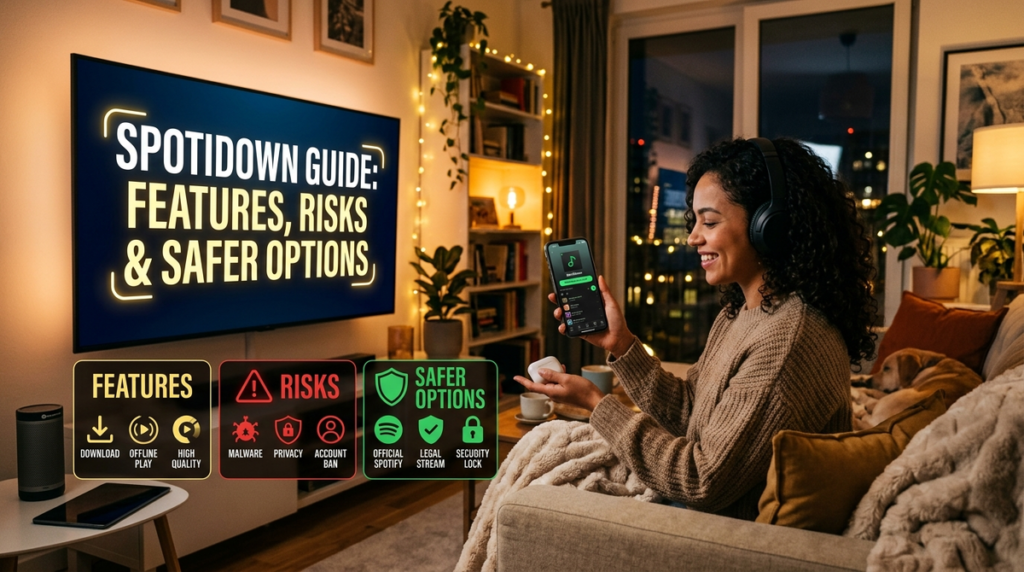
I believe that anyone who has spent time building Spotify playlists has wondered about keeping those songs permanently. The desire to own music rather than rent access to it remains powerful. SpotiDown has emerged as one of the most discussed tools promising exactly that capability. From my perspective, understanding what SpotiDown offers requires examining its technical design, its legal standing, and the practical risks involved.
Moreover, I have found that many users overlook critical safety and ethical considerations when exploring such tools. In this analysis, we will examine SpotiDown comprehensively, compare it with alternatives, and determine whether it represents a wise choice for music lovers in 2026. For readers interested in broader digital tool guides, resources like Wordplay2018 offer additional insights into technology and software reviews.
Key Takeaways
The most important points from my analysis center on three areas. First, SpotiDown is a command-line tool that downloads audio from YouTube rather than Spotify directly, which means quality depends entirely on the source video. Second, using any Spotify downloader violates Spotify’s Terms of Service and may constitute copyright infringement in many jurisdictions.
Furthermore, safer alternatives exist for listeners who want offline music, including legitimate Spotify Premium downloads and other licensed platforms. Based on the available evidence, I believe the practical lesson is that convenience should never outweigh legal compliance and personal data security. These takeaways should guide your decision-making process as we explore the topic in depth. Consequently, I have found that users who understand these core issues make better choices about their music consumption habits.
What Is SpotiDown and How Does It Work?
SpotiDown is a music downloader application designed to fetch tracks from Spotify and YouTube and save them to a local drive. The tool operates primarily as a command-line interface, though a Windows executable version exists for users who prefer graphical interaction. According to the project’s GitHub repository, SpotiDown uses the Spotify Web API and YouTube API to retrieve track information including title, artist, and artwork. The application then searches for those tracks on YouTube and downloads the audio with associated metadata and lyrics fetched from Genius.
How SpotiDown Sources Audio from YouTube
This architecture reveals something crucial about the tool’s operation. SpotiDown does not actually download audio directly from Spotify’s servers. Instead, it extracts metadata from Spotify’s catalog and then locates equivalent audio on YouTube. As a result, the practical consequence is that audio quality depends on the YouTube upload rather than Spotify’s streaming quality. A user downloading a track through SpotiDown receives whatever bitrate the matching YouTube video offers, which may be substantially lower than Spotify’s Premium audio quality.
The Current Status of SpotiDown Development
The original SpotiDown repository has been archived and rebranded as Musify, with the developer noting that the code was written when they had just started learning C#. Therefore, this means the original SpotiDown is no longer actively maintained. A separate product on Product Hunt also uses the SpotiDown name, describing itself as a “lightning-fast CLI music downloader” that provides lossless files in FLAC or MP3 320 format with embedded covers and synchronized lyrics. However, this naming confusion creates additional uncertainty for users seeking a reliable tool.
A Practical Example of How SpotiDown Works
To illustrate how SpotiDown works in practice, consider this scenario: A user wants to download a 12-track album from Spotify. They paste the album link into SpotiDown’s interface. The tool queries Spotify’s API for track titles, artists, and album artwork. It then searches YouTube for each track, downloads the matching audio, embeds the metadata, fetches lyrics, and organizes the files into a folder structure.
The process takes several minutes depending on internet speed and the availability of matching YouTube videos. If certain tracks are unavailable on YouTube or exist only in poor quality uploads, the downloaded album will have gaps or inconsistent audio quality.
Another practical example involves playlist downloading. A user creates a 50-song playlist for a road trip. They run SpotiDown on the playlist URL. The tool processes each track sequentially, but encounters problems with five songs that have no matching YouTube uploads or exist only as live versions rather than studio recordings. Consequently, the resulting download contains 45 tracks, with some being incorrect versions. This scenario illustrates the reliability challenges inherent in tools that depend on third-party content matching.
Technical Variables Affecting SpotiDown Performance
From a technical standpoint, SpotiDown’s reliance on YouTube introduces several variables. YouTube videos can be removed, replaced, or region-locked. The audio may be compressed differently than the original recording. Some uploads include intros, outros, or commentary that the user does not want. SpotiDown attempts to filter these issues by selecting the best match based on duration and title similarity, but mismatches still occur. As a result, I have found that users often discover these problems only after downloading an entire playlist.
The Legal Status of Spotify Downloading Tools
I believe the legal question surrounding SpotiDown deserves careful examination because many users underestimate the consequences. Spotify’s Community forum contains direct guidance on this matter. A community moderator responded to a user asking about third-party downloaders with this statement: “Using downloader tools like the one you mentioned is against Spotify’s terms of use and thus it’s considered piracy. So I would advise against using sites like that.” This guidance reflects Spotify’s official position that any tool enabling users to save its content violates the platform’s rules.
Copyright Law and Streaming Royalties
The legal foundation for this position rests in copyright law. Spotify licenses music from rights holders and pays royalties based on streams. When a user downloads a track through an unauthorized tool, that stream may not register properly, and the artist receives no compensation. More fundamentally, the reproduction of copyrighted sound recordings without authorization constitutes infringement in most legal systems. The fact that SpotiDown sources audio from YouTube rather than Spotify does not resolve the issue because the YouTube version itself may be an unauthorized upload.
Spotify’s Official Terms of Service
Spotify’s Developer Terms of Service make the prohibition explicit: “Your SDA shall not provide any functionality that would enable users to download or save Spotify Content. For example, your SDA shall not allow users to ‘rip’ any songs or download cover art.” This language leaves no ambiguity about the platform’s stance on download functionality.
Legal Consequences for Large-Scale Piracy
The consequences of music piracy extend beyond individual users. Spotify and major record labels have pursued aggressive legal action against large-scale operations. In 2026, Spotify and three major labels secured a $322 million default judgment against the shadow library Anna’s Archive for allegedly scraping 86 million tracks. The court awarded damages of $150,000 per track, the maximum allowed under U.S. copyright law for willful infringement. While individual users are unlikely to face such penalties, this case demonstrates the music industry’s determination to protect its content.
The Ethical Dimension of Music Piracy
In my view, the ethical dimension matters as much as the legal one. Artists create music as their livelihood. When listeners bypass licensed platforms, they undermine the economic foundation that allows musicians to continue producing work. Therefore, we can reasonably conclude that supporting legal streaming services, even with their limitations, represents the more responsible choice.
Consider a hypothetical scenario: An independent musician releases an album through Spotify’s distribution service. They earn approximately $0.003 to $0.005 per stream. If 10,000 listeners stream the album through legitimate channels, the artist receives $30 to $50. If those same listeners download through SpotiDown instead, the artist receives nothing. Multiply this across an entire catalog and career, and the economic impact becomes substantial. This example illustrates why artists and platforms oppose unauthorized downloading tools.
How Copyright Laws Vary by Country
The legal landscape varies by country. In the United States, the Digital Millennium Copyright Act (DMCA) provides safe harbor provisions for platforms but does not protect users who circumvent technical measures. In the European Union, the Copyright Directive similarly prohibits unauthorized reproduction. Some countries have more lenient personal use exceptions, but these rarely cover downloading from unauthorized sources. I believe users should consult local laws, but the general trend worldwide is toward stronger copyright enforcement, not weaker.
SpotiDown Features and Technical Specifications
Understanding SpotiDown’s capabilities helps users evaluate whether it meets their needs and what compromises they accept. The tool supports downloading individual songs, entire playlists, albums, and artist catalogs. It does not require authentication or a Spotify account, which appeals to users who want to avoid linking their credentials to third-party services. The application embeds cover art automatically and can fetch synchronized lyrics from Genius.
Feature Comparison Table
The following table compares SpotiDown’s main features with its capabilities and limitations.
| Feature | SpotiDown Capability | Practical Implication |
|---|---|---|
| Download Sources | Spotify metadata + YouTube audio | Audio quality depends on YouTube upload quality |
| Supported Formats | FLAC, MP3 320 (newer versions) | Older versions may produce lower quality output |
| Batch Downloading | Albums, playlists, artist catalogs | Large playlists may have missing tracks |
| Authentication | None required | No account risk, but also no official support |
| Metadata Embedding | Title, artist, artwork, lyrics | Files integrate well with local music players |
| Platform Support | Windows (primary), limited mobile support | Android version discontinued |
| Advertisement Display | None | Cleaner experience than many web-based tools |
| Price | Free | No cost, but potential legal and security costs |
After reviewing this comparison, the most important takeaway is that SpotiDown offers genuine convenience for users comfortable with command-line tools and willing to accept legal ambiguity. The absence of advertisements and authentication requirements makes it appealing, but these advantages come with significant trade-offs in audio quality, reliability, and compliance with platform rules.
Download Speed and Storage Requirements
From a technical perspective, SpotiDown’s download speed depends on internet bandwidth and YouTube’s response times. A typical album of 12 tracks might take 3 to 5 minutes to download on a standard broadband connection. Playlists with hundreds of songs can take hours. The tool processes tracks sequentially by default, though some versions support parallel downloads. Users should also consider storage requirements: a 320 kbps MP3 album occupies approximately 100 MB, while a FLAC version can exceed 300 MB.
Safety Concerns and Malware Risks
I have found that safety represents one of the most underappreciated aspects of using unauthorized downloaders. Security researchers have flagged multiple domains associated with the SpotiDown name. Gridinsoft classified spotidown.com as a suspicious website with a trust score of 11 out of 100, noting that it has been marked as a malicious site by several well-known security providers. Another analysis of spotidown.app gave it a trust score of 22 out of 100 and described it as a suspicious site blocked by security providers.
Distinguishing Legitimate Tools from Malicious Copies
These warnings do not mean that every version of SpotiDown contains malware. The open-source GitHub version, for example, has been available for inspection and users have reported it functions as described. However, the proliferation of websites using similar names creates a dangerous environment. A user searching for “SpotiDown download” may encounter a malicious site that mimics the legitimate tool while distributing malware, stealing credentials, or installing unwanted software.
Best Practices for Safe Software Downloads
The practical lesson for readers is to exercise extreme caution with any software downloaded from unofficial sources. Even if a tool has legitimate origins, repackaged versions distributed through third-party websites may contain harmful modifications. I recommend verifying checksums when available and scanning all downloaded files with reputable antivirus software before installation. When possible, use open-source tools whose code can be independently reviewed.
A Realistic Malware Scenario
A realistic example illustrates this risk: A user searches for “SpotiDown download” and clicks the first result, which appears professional and offers a Windows installer. They download and run the file, but the installer bundles additional software including a browser hijacker that changes their homepage and search engine. Removing this unwanted software requires significant technical effort. This scenario, while hypothetical, reflects patterns observed with many free software downloads from unverified sources.
Privacy Risks Beyond Malware
Beyond malware, users should consider privacy risks. Some downloader websites collect personal information, track browsing behavior, or serve targeted advertisements. Command-line tools like SpotiDown may request permissions to access file systems or network resources that exceed their stated purpose. Without reviewing the source code, users cannot be certain what data the tool transmits or stores. Therefore, I believe that privacy-conscious users should avoid tools that lack transparent development practices and clear privacy policies.
Comparing SpotiDown Alternatives in 2026
Several alternatives exist for users who want offline music access. Some operate legally within platform rules, while others occupy the same gray area as SpotiDown. The following table compares the most discussed options, including their legal status, pricing, and key characteristics.
Alternative Comparison Table
| Tool | Legal Status | Cost | Audio Quality | Platform Support | Key Limitations |
|---|---|---|---|---|---|
| Spotify Premium | Fully Legal | $11.99/month | Up to 320 kbps | All major platforms | Requires subscription; downloads tied to app |
| spotDL | Gray Area | Free | Depends on source | Windows, Mac, Linux | Command-line only; legal concerns |
| SpotiDown | Gray Area | Free | 128-320 kbps | Windows primary | Legal risk; safety concerns; discontinued |
| TuneCable | Legal for personal use | Paid license | Up to 320 kbps | Windows, Mac | Requires Spotify account; paid |
| YouTube Premium | Fully Legal | $13.99/month | Up to 256 kbps | All platforms | Limited to YouTube Music catalog |
| Apple Music | Fully Legal | $10.99/month | Up to 256 kbps AAC | All platforms | Separate subscription from Spotify |
Why Legal Options Now Dominate
The most important observation from this comparison is that legal options now exist at price points competitive with the perceived savings of unauthorized tools. Spotify Premium at $11.99 monthly provides unlimited offline downloads across multiple devices with full audio quality. YouTube Premium offers similar benefits for YouTube Music. For users who value both legal compliance and offline access, these subscription services eliminate the primary motivation for using tools like SpotiDown.
The True Cost of Free Downloaders
In my analysis, the cost argument for using SpotiDown is weaker than it first appears. A Spotify Premium subscription costs approximately $0.40 per day. For that amount, users receive high-quality audio, offline access, artist compensation, and freedom from legal and security risks. When framed as a daily expense, the subscription represents a minor cost compared to the potential consequences of using unauthorized tools. Consequently, we can reasonably conclude that the perceived savings do not justify the risks.
A Step-by-Step Guide to Legitimate Offline Listening
For readers who want to enjoy music offline without legal or security risks, I have outlined a practical approach using legitimate services. This method ensures artists receive compensation while providing reliable access to downloaded content.
Step 1: Subscribe to a Legitimate Streaming Service
Spotify Premium, Apple Music, YouTube Premium, and Amazon Music Unlimited all offer offline download functionality. Choose the service that best matches your listening habits and budget.
Step 2: Create and Organize Playlists
Use the platform’s playlist features to group music by mood, genre, or occasion. This organization makes downloading efficient and ensures you have the right music available when offline.
Step 3: Download Content Within the App
Each service provides an option to download playlists, albums, or individual tracks for offline listening. Spotify Premium, for example, allows users to toggle a download switch on any playlist or album. The content remains available for 30 days between internet connections, refreshing automatically when you reconnect.
Step 4: Manage Storage Across Devices
Offline music consumes significant storage space. Premium plans typically allow downloads on multiple devices, but you should monitor available storage and remove content you no longer need.
Step 5: Enjoy Offline Listening with Peace of Mind
This approach provides high-quality audio, proper artist compensation, and no legal risk. The subscription cost represents a fair exchange for reliable, ethical access to music.
A Worked Example of Legitimate Offline Listening
For a worked example, consider a user who commutes by train for 45 minutes daily. They subscribe to Spotify Premium, create a playlist of 200 songs for their commute, and download it to their phone. The playlist occupies approximately 1.5 GB of storage. Over a month, they listen to the playlist 40 times, enjoying seamless offline playback without interruptions. Their $11.99 subscription ensures artists receive royalties and the user faces no legal or security concerns. This example demonstrates the practical value of legitimate offline listening.
Another example involves a fitness enthusiast who exercises at a gym with poor internet connectivity. They download high-energy playlists to their phone using Spotify Premium. During workouts, they enjoy uninterrupted music without buffering or data usage. The offline functionality works seamlessly because the app stores encrypted files that only the app can access. This design prevents unauthorized copying while providing the convenience users expect.
Common Mistakes When Using Spotify Downloaders
Several recurring errors undermine users’ experiences with downloader tools. The first and most significant is failing to verify the legitimacy of the download source. Many websites mimic popular tools but distribute malware instead of functional software. Users should download from official repositories or verified sources only.
Mistake 1: Assuming Audio Quality Matches Spotify
A second mistake involves assuming that audio quality matches Spotify’s streaming quality. Because tools like SpotiDown source audio from YouTube, the quality depends entirely on the uploaded video. Some tracks exist only in low-bitrate versions, resulting in noticeably inferior sound. I have found that users often express disappointment when comparing downloaded files to their streaming equivalents.
Mistake 2: Underestimating Legal Risk
A third error is underestimating the legal risk. Even for personal use, downloading copyrighted music without authorization violates platform terms and potentially copyright law. Users who share downloaded files or use them publicly face greater exposure. The music industry has demonstrated a willingness to pursue legal action, as evidenced by the Anna’s Archive case.
Mistake 3: Ignoring Ethical Considerations
Finally, I have observed that many users fail to consider the ethical dimension. Artists depend on streaming revenue. When listeners circumvent legitimate channels, they reduce the income that sustains musical careers. This consideration should factor into any decision about using downloader tools. In my view, ethical consumption matters even when the practical risk of legal consequences is low.
Expert Perspectives on Music Piracy and Streaming
Daniel Ek, Spotify’s co-founder and CEO, has spoken extensively about the relationship between piracy and streaming. His perspective offers useful context for understanding why legitimate services matter.
“Piracy was kind of hard: It took a few minutes to download a song. It was kind of cumbersome. You had to worry about viruses. It’s not like people want to be pirates. They just want a great experience.” — Daniel Ek, Co-founder and CEO of Spotify
This observation captures the fundamental insight that shaped Spotify’s design. Ek recognized that most people do not choose piracy out of malice but out of convenience. The challenge was creating a service that made legal listening easier than illegal alternatives. The interpretation here is that when legitimate services offer superior user experiences, they can effectively compete with piracy. Spotify’s growth from a startup to a platform with over 600 million users demonstrates the success of this approach.
Industry Legal Actions Against Piracy
The music industry’s legal actions reinforce this perspective. Spotify and major labels have pursued large-scale piracy operations aggressively, securing judgments that impose significant financial penalties. In 2026, a New York judge awarded $322 million against Anna’s Archive for scraping 86 million tracks. These actions target distributors rather than individual listeners, but they establish clear legal boundaries.
Declining Piracy Rates and Improved Legal Options
As global piracy statistics show, music piracy declined by 40.3% in 2025, reflecting both improved legal alternatives and stronger enforcement efforts. From my perspective, this trend confirms that the combination of convenient legal options and meaningful consequences for large-scale infringement effectively reduces unauthorized downloading.
Spotify’s Official Position on Downloader Tools
A second quotation from the Spotify Community moderator provides direct guidance to users considering downloader tools: “Using downloader tools like the one you mentioned is against Spotify’s terms of use and thus it’s considered piracy. So I would advise against using sites like that.” This statement matters because it comes from an official Spotify representative, not an outside commentator. The interpretation is clear: Spotify considers any tool that downloads its content to be a violation of its rules, regardless of the tool’s technical approach.
Making an Informed Decision About SpotiDown
The decision to use SpotiDown or any similar tool involves weighing convenience against legal, ethical, and security considerations. Based on my analysis, the case against unauthorized downloaders is compelling. The legal risks, while small for individual users, remain real. The security risks from malicious websites are significant and well-documented. The ethical implications affect artists whose livelihoods depend on streaming revenue.
Why Better Alternatives Now Exist
I believe the strongest argument for avoiding SpotiDown is simply that better alternatives now exist. Spotify Premium costs approximately $11.99 per month and provides high-quality offline downloads across all devices. For the cost of a few coffees, users gain legal, safe, and reliable offline access. The perceived savings from using free downloader tools do not justify the risks and compromises involved.
Free Legal Options for Budget-Conscious Users
For users in regions where premium subscriptions are unaffordable, free legal options exist. Spotify’s free tier provides ad-supported streaming with some offline capabilities. YouTube Music offers a similar free tier. These services may not provide full offline functionality, but they keep users within legal boundaries while supporting artists.
The End of Piracy as the Only Convenient Option
From what the research shows, the era when piracy was the only convenient option has ended. The music industry has adapted, and legal services now offer superior experiences. Tools like SpotiDown persist because some users prioritize free access over legal compliance, but this choice carries costs that often go unrecognized until problems arise.
Conclusion
SpotiDown represents a persistent temptation in the digital music landscape: free access to unlimited music without subscription commitments. From my perspective, however, the full accounting of its costs reveals a poor bargain. The tool’s audio quality depends on unpredictable YouTube sources rather than Spotify’s premium streams. Its legal status violates platform terms and potentially copyright law. Multiple websites using the SpotiDown name carry malware warnings from security researchers.
The original repository is archived and unmaintained. Meanwhile, legitimate alternatives now offer affordable, reliable, and ethical access to offline music. I believe the practical lesson is clear: convenience without compliance creates risks that outweigh any short-term savings. For readers seeking offline music, Spotify Premium and similar services provide the right balance of quality, safety, and fairness to artists. The SpotiDown option may appear free, but its true cost includes legal exposure, security threats, and compromised audio quality. Choosing a licensed service means choosing peace of mind alongside your playlist.
Frequently Asked Questions
Is SpotiDown legal to use for personal music downloads?
Using SpotiDown is not legal if it downloads copyrighted music without authorization. Spotify’s Terms of Service explicitly prohibit third-party tools that enable content saving. Community moderators have confirmed that using such tools is considered piracy. Even for personal use, reproducing copyrighted sound recordings without a license infringes copyright in most jurisdictions. I recommend using legitimate streaming services for offline listening to avoid legal exposure.
What audio quality does SpotiDown actually deliver?
SpotiDown’s audio quality varies significantly. The tool sources audio from YouTube rather than Spotify, so quality depends on the matching YouTube video. Some tracks may offer 320 kbps MP3, while others are limited to 128 kbps or lower. Independent testing has noted that actual audio quality often falls below expectations. This inconsistency makes SpotiDown unsuitable for audiophiles or anyone who values high-fidelity playback.
Are SpotiDown websites safe to visit and download from?
Many SpotiDown-related websites have poor safety records. Gridinsoft assigned spotidown.com a trust score of 11 out of 100 and flagged it as a malicious site. Another domain, spotidown.app, received a score of 22 out of 100. These warnings indicate significant malware and phishing risks. I strongly advise against downloading software from any SpotiDown website that has not been independently verified.
What are the best legal alternatives to SpotiDown?
Spotify Premium provides fully legal offline downloads at $11.99 per month with up to 320 kbps audio quality across all platforms. YouTube Premium offers similar functionality for YouTube Music at $13.99 monthly. Apple Music and Amazon Music Unlimited provide comparable services. For free legal options, Spotify’s free tier and YouTube Music’s free tier offer ad-supported streaming without download capabilities. These services support artists fairly and eliminate legal and security risks.
How does SpotiDown compare with other Spotify downloaders?
SpotiDown shares characteristics with tools like spotDL, SpotifyDown, and Deemix. All operate in a legal gray area by downloading copyrighted content without authorization. SpotiDown offers command-line convenience and lossless formats in newer versions, but its original repository is archived and security warnings surround multiple domains using its name. Alternative tools have similar legal and safety concerns. From my perspective, none of these tools justify the risks compared to legitimate streaming subscriptions.
Why do artists oppose tools like SpotiDown?
Artists oppose unauthorized downloaders because these tools bypass the royalty system that compensates creators. When listeners use SpotiDown instead of streaming through licensed platforms, plays may not register properly and artists receive no payment. Music production requires substantial investment of time, money, and creative energy. Piracy undermines the economic foundation that allows artists to continue creating. Supporting legal streaming services ensures that musicians receive fair compensation for their work.
Sources
- Spotify Community Forum. Moderator guidance on third-party downloaders.
- Spotify Developer Terms of Service. Prohibition on download functionality.
- Gridinsoft. Security analysis of spotidown.com and spotidown.app.
- GitHub. Original SpotiDown repository and archival notice.
- Product Hunt. SpotiDown product listing.
- Daniel Ek. Interview on piracy and streaming.
- U.S. District Court. Anna’s Archive judgment, 2026.
- Global piracy statistics, 2025.
Disclaimer
This article is provided for informational and educational purposes only. The author does not encourage, endorse, or facilitate copyright infringement or the violation of any platform’s terms of service. Readers should consult legal professionals regarding specific copyright questions in their jurisdiction. Any decisions regarding music downloading tools are the sole responsibility of the individual user. The information presented reflects research and analysis available at the time of writing and may not reflect subsequent developments. Always prioritize legal, ethical, and safe approaches to accessing digital content.