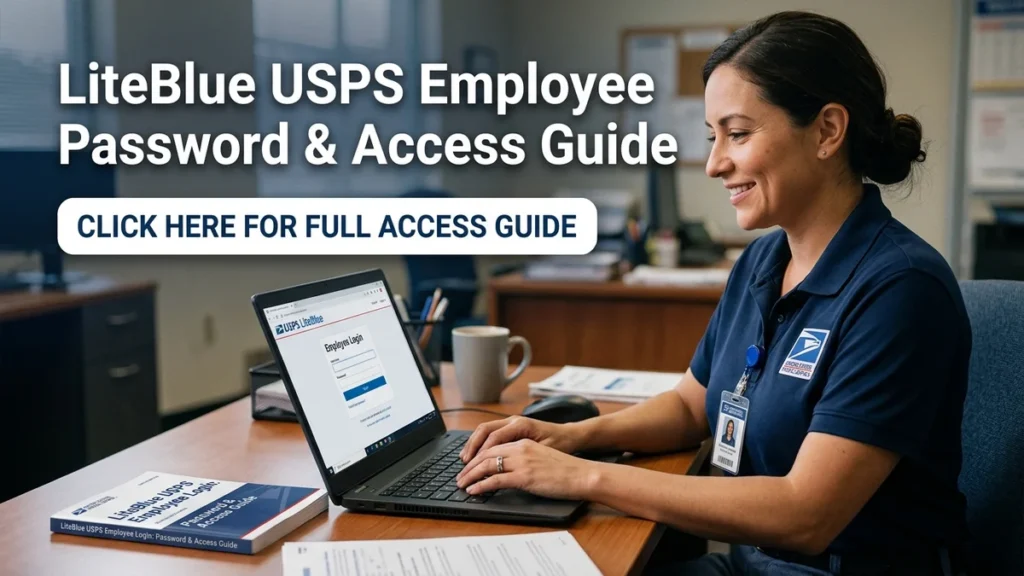
If I were looking for the LiteBlue USPS employee login today, my first priority would be using the official USPS website rather than relying on a search result, email link, or unfamiliar login page. LiteBlue is an employee-facing USPS platform, and USPS has specifically warned employees about fraudulent websites that imitate LiteBlue.
The official LiteBlue address is liteblue.usps.gov. USPS has repeatedly published security guidance telling employees to verify the website address before entering sensitive information. In one USPS employee notice, the Postal Service stated, “The legitimate LiteBlue site is located at liteblue.usps.gov.”
From my perspective, that point matters more than simply knowing where the login button appears. A login page can look convincing while still being unsafe. When an employee is trying to check work information, benefits, payroll-related services, or another employee application, the safest approach is to begin with the official LiteBlue address and follow the current USPS authentication process.
This guide explains the LiteBlue USPS employee login process, what employees generally need to sign in, how passwords and multifactor authentication work, what to do when access fails, and how to recognize suspicious LiteBlue websites. I will also separate older login information from current USPS guidance so readers do not accidentally follow outdated instructions.
Key Takeaways for LiteBlue USPS Employee Login
The most important points are straightforward.
- The official LiteBlue website is liteblue.usps.gov.
- USPS employees should verify the domain before entering an employee ID, password, or authentication code.
- LiteBlue access uses employee credentials and security verification.
- USPS introduced multifactor authentication for LiteBlue and related self-service access.
- Available MFA methods can change, so employees should follow the options shown in the official USPS system.
- USPS recommends keeping employee identification numbers, passwords, and MFA codes private.
- Employees should avoid entering LiteBlue credentials through suspicious links in emails, text messages, or search results.
- Password or MFA problems should be handled through official USPS support and self-service options.
- Some USPS employee applications are accessible through LiteBlue after authentication.
- Current instructions should take priority over old guides that still describe the former PIN-based login process.
I believe the biggest practical lesson is simple: verify the official website first, then authenticate through the current USPS process.
What Is LiteBlue USPS?
LiteBlue is an online USPS employee platform that provides access to employee services and applications. USPS materials describe LiteBlue as a way for employees to access various work-related and human-resources resources.
The platform has been used to provide access to services such as PostalEASE, ePayroll, employee records, benefits information, and other internal applications. Current USPS materials also point employees toward MyHR and other employee resources through LiteBlue and Blue.
That means the LiteBlue USPS employee login is not simply a generic public account login. It is connected to USPS employee services, so employees should treat their credentials as sensitive information.
A useful way to think about LiteBlue is as a gateway. The login authenticates the employee, and the employee can then access the applications and services available to that account.
For example, a USPS employee might sign in to LiteBlue and then use an employee application for benefits-related activity. Another employee might need to access payroll or human-resources information. The exact applications available can depend on the employee’s role and current USPS systems.
This distinction is important because not every USPS service uses exactly the same login process. Some external services may have their own accounts or authentication requirements. Therefore, I would not assume that one USPS username and password automatically works everywhere.
You should also know about woofapps
How LiteBlue USPS Employee Login Works
The basic login process is designed around employee identification, password authentication, and additional security verification.
USPS publications have instructed employees to go to LiteBlue, select the sign-in option, enter their employee ID and password, and then complete an identity verification step when required.
A simplified process looks like this:
- Open a trusted browser.
- Navigate directly to liteblue.usps.gov.
- Select the appropriate sign-in option.
- Enter the requested employee credentials.
- Complete the required security verification.
- Enter the security code or approve the authentication request when prompted.
- Continue to the employee applications available to your account.
The exact appearance of the page can change as USPS updates its systems. Because of that, I recommend following the instructions displayed on the official USPS website rather than relying entirely on screenshots from an old article.
What You May Need Before Signing In
| Login Requirement | Why It Matters | What to Check |
|---|---|---|
| USPS employee identification information | Identifies the employee account | Use your own official employee information |
| Password | Authenticates the account | Do not share it with anyone |
| MFA/security method | Adds another layer of verification | Use an available approved method |
| Security code or approval | Confirms the authentication attempt | Never give a code to another person |
| Trusted device when applicable | Can simplify authentication | Keep the device secure |
| Internet connection | Required for online access | Avoid unsecured public connections for sensitive activity |
The table shows why login problems do not always mean the password is wrong. An employee can have the correct password but still encounter an issue with MFA, a security method, browser behavior, or another part of the authentication process.
Why USPS Uses Multifactor Authentication
Multifactor authentication, commonly called MFA, adds another verification step beyond a password.
USPS introduced MFA for LiteBlue-related access as part of its security measures. USPS explained that employees could use the same MFA setup to sign in to LiteBlue and the Self-Service Profile.
USPS described MFA directly as a security measure:
“MFA is a critical security measure that adds an extra layer of protection.”
USPS Corporate Information Security Office, Postal Bulletin, 2024
I consider this particularly important for employee systems because a password by itself can be exposed through phishing, reused credentials, malware, or other security problems. MFA creates another verification requirement.
Imagine a hypothetical situation in which someone obtains an employee’s password. If the account also requires a separate authentication method, knowing the password alone may not be sufficient to complete the login.
That does not mean MFA makes an account impossible to compromise. It means the authentication process has an additional security layer.
Employees should therefore never give an MFA code to someone who calls, texts, or emails asking for it. A person who already knows an employee’s password may attempt to obtain the second factor through social engineering.
LiteBlue Passwords and the Change From PINs
One source of confusion comes from older USPS LiteBlue instructions.
USPS previously used employee identification numbers and four-digit PINs for certain online and telephone services. In 2014, USPS introduced a stronger password system for LiteBlue and online self-service applications. The Postal Service explained that the new password system replaced the earlier online PIN process.
That historical change explains why an old webpage might tell employees to use a PIN while newer USPS instructions refer to a password.
This is a good example of why I recommend checking the date and source of any LiteBlue login guide.
If you find a page saying that the current LiteBlue USPS employee login uses only an old four-digit online PIN, I would not automatically follow it. Current USPS documentation should take priority.
The distinction is especially important when an employee is searching for password-reset information. An outdated article can send the employee toward an old process that no longer matches the current authentication system.
How to Sign In Safely to LiteBlue
The safest login routine starts before the login page appears.
USPS has warned employees about fraudulent websites that imitate legitimate USPS services. The Postal Service has specifically advised employees to type website addresses directly into the browser address bar or use a trusted bookmark.
Here is the process I recommend from a practical security perspective.
Step 1: Start With the Official Domain
Type liteblue.usps.gov into your browser rather than clicking an unfamiliar login link.
If you already know the official address, entering it yourself reduces the chance of accidentally opening a fake website.
Step 2: Check the Address Before Entering Information
Look carefully at the browser address.
A fraudulent site might use a name that contains words such as “LiteBlue,” “USPS,” or “employee login” while actually using a different domain.
USPS has previously warned employees about fake websites designed to resemble LiteBlue.
Step 3: Use Your Own Credentials
Enter your own USPS employee credentials.
Never use credentials supplied by another person, and never send your password to someone through email, text message, or social media.
Step 4: Complete MFA
If USPS asks for additional verification, use your configured security method.
USPS has provided several authentication options over time, and available methods can change. Employees should follow the options currently presented by the official system.
Step 5: Check the Result
After authentication, confirm that you have reached the expected USPS employee environment before continuing to an application.
If something looks unusual, stop rather than entering additional information.
What to Do If Your LiteBlue Login Fails
A failed login does not automatically mean that your account is disabled.
There are several possible causes, including an incorrect password, an MFA problem, a temporary technical issue, browser problems, or an issue with the employee authentication process.
I would troubleshoot in a controlled order instead of repeatedly entering credentials.
Check the Website Address
First, confirm that you are using the official LiteBlue domain.
If the address is unfamiliar, stop and navigate directly to the official USPS site.
Check Your Credentials
Make sure you are entering the correct employee information and password.
Be careful with keyboard settings, especially when a password contains characters that can be affected by capitalization or keyboard layout.
Check MFA
If the password works but authentication fails, the issue may involve the security verification step.
For example, a hypothetical employee might have replaced a phone and no longer have access to the authentication method configured on the account.
In that situation, repeatedly trying the old method is unlikely to solve the underlying problem. The employee may need to use a configured backup method or follow the official recovery process.
Check for a Temporary Technical Problem
Sometimes an online service can experience technical problems.
If the official page is unavailable or behaves unexpectedly, avoid assuming that changing the password will solve it. Check official USPS information and support channels for current guidance.
Use Official USPS Support
For account-specific problems that cannot be resolved through the available self-service options, employees should use official USPS support resources.
USPS has published an IT Service Desk number in its MFA guidance for employees who need assistance with backup authentication methods.
LiteBlue Password Reset and Account Recovery
Password recovery is one of the most common reasons employees search for LiteBlue login information.
The exact recovery process can depend on the current USPS authentication system and the employee’s account configuration. For that reason, I would avoid relying on third-party websites that ask for your employee ID, password, MFA code, or other sensitive information.
The Self-Service Profile is an important part of USPS account management. USPS has explained that employees can use it for functions such as updating their password and managing MFA preferences.
A safe recovery approach is:
- Start at the official LiteBlue website.
- Locate the current Self-Service Profile or account-recovery option.
- Follow the instructions displayed by USPS.
- Complete any identity verification requested.
- Create or update your password according to the current requirements.
- Review your MFA settings.
- Add a backup method when the official system allows it.
- Sign in again through the official LiteBlue site.
USPS later encouraged employees using MFA to add a backup security method on a secondary device. The stated purpose was to reduce the risk of being locked out when the primary device becomes unavailable.
I think this is a useful preventive step because account recovery is much easier when an employee has already configured an approved backup authentication method.
Why a Backup MFA Method Can Matter
A backup MFA method can help when the primary authentication device is lost, damaged, replaced, or unavailable.
USPS published guidance encouraging LiteBlue users to add a backup method to a secondary device. The 2025 guidance listed methods such as Okta Verify, Google Authenticator, and biometric authentication among available options, while noting that available options may vary.
Consider this hypothetical example:
An employee normally uses a phone for authentication. The phone is damaged unexpectedly. The employee remembers the LiteBlue password but cannot complete the second authentication step.
If the employee had previously configured an approved backup method, access might be easier to restore. Without one, the employee may need to use the official recovery or support process.
The practical lesson is that account security is not only about creating a strong password. It is also about maintaining access to the authentication methods required to prove account ownership.
LiteBlue Login Security: What Employees Should Never Share
USPS treats employee login information as sensitive.
The Postal Service has explicitly warned employees not to share employee identification numbers, passwords, or multifactor authentication codes.
This includes requests from people who claim to be:
- USPS managers
- coworkers
- IT employees
- account support representatives
- benefits representatives
- security specialists
- outside service providers
A legitimate-looking request should still be handled carefully.
For example, suppose someone sends a message saying that an employee’s LiteBlue account will be suspended unless the employee provides an MFA code. The safest response is not to provide the code. Instead, the employee should open the official USPS site independently and check the account.
USPS has also advised employees to avoid suspicious email links and attachments and to be cautious when interacting with unsolicited messages.
Common LiteBlue Scams and Fake Login Pages
Fake LiteBlue websites are an important security concern because attackers can copy the appearance of a legitimate login page.
USPS has publicly documented fraudulent LiteBlue websites. In one 2024 security notice, USPS identified a fake domain that closely copied the legitimate LiteBlue website.
USPS warned employees:
“Double-check that you are on the correct website by carefully reviewing the website address.”
USPS Corporate Information Security Office, Postal Bulletin, 2024
The advice is practical because visual appearance is not enough.
A fake page can contain the USPS name, familiar colors, logos, and a login form. The URL is therefore one of the most important things to inspect.
Warning Signs of a Suspicious LiteBlue Page
| Warning Sign | Why It Matters | Safer Response |
|---|---|---|
| Unfamiliar domain | The page may not belong to USPS | Close it and type the official address manually |
| Urgent password request | Pressure can be used in phishing | Verify through official USPS channels |
| Request for MFA code | Codes can enable account takeover attempts | Never disclose the code |
| Suspicious email link | Links can lead to imitation websites | Open LiteBlue independently |
| Unexpected attachment | Attachments may carry security risks | Do not open unsolicited files |
| Spelling or branding errors | May indicate an imitation page | Stop and verify the domain |
| Request for unusual personal data | Could be an attempt to collect sensitive information | Do not provide it without verification |
| Search result that redirects unexpectedly | Search results are not a guarantee of authenticity | Check the final domain carefully |
The most important takeaway from this table is that a familiar-looking page does not automatically mean it is legitimate.
Why Search Results Are Not Enough for LiteBlue Login
Many people naturally search Google for “LiteBlue USPS employee login” when they need access.
Search engines can help users discover information, but I would not treat a search result itself as proof that the destination is the official login page.
USPS has specifically warned employees that fraudulent websites can appear convincing and advised them to type addresses directly or use trusted bookmarks.
That means a better habit is:
Search for information if necessary, but verify the official domain before entering credentials.
This is especially important for high-value accounts.
The same principle applies beyond LiteBlue. Whenever a website handles employment, banking, health, government, or other sensitive information, checking the actual domain should become a routine step.
What Employees Can Access After LiteBlue Login
LiteBlue connects employees with several USPS resources and applications.
USPS materials have referenced services including PostalEASE, ePayroll, employee records, benefits resources, and MyHR-related information. Current USPS communications also explain that employees can access MyHR through Blue or LiteBlue.
The available options can change over time, so I would not assume that an application listed in an older article will appear in exactly the same location today.
For example, USPS launched MyHR in January 2024 as a centralized human-resources website for employees. USPS said MyHR provides access to HR information and applications, including benefits and retirement-related resources.
This illustrates why current USPS information matters. Employee technology evolves, and an article written several years ago may describe a menu structure that no longer matches the current interface.
LiteBlue and Payroll-Related Services
LiteBlue can provide access to payroll-related resources.
USPS materials have directed employees to LiteBlue for accessing certain payroll and tax-related functions through PostalEASE. A 2026 USPS Postal Bulletin, for example, instructed employees to go to the LiteBlue home page to access the PostalEASE application for federal and state tax withholding updates.
Employees should distinguish between accessing a USPS application and receiving financial or tax advice.
The USPS publication itself notes that the Postal Service does not provide tax advice to employees and directs tax-liability questions toward the IRS or a qualified tax preparer.
That distinction matters because an employee might use LiteBlue to access a payroll-related tool without LiteBlue itself being the source of personalized tax advice.
LiteBlue and Employee Benefits
LiteBlue has also been used as an access point for employee benefit-related services.
USPS publications have instructed employees to sign in to LiteBlue and select specific applications for benefits activities. For example, USPS materials have described using LiteBlue to reach flexible spending account resources and PostalEASE.
The exact process can vary by benefit, enrollment period, and current USPS system.
For this reason, I recommend checking the current USPS instructions for the particular benefit rather than assuming every benefits task follows the same process.
An employee researching a benefit should ask:
- Is this service accessed through LiteBlue?
- Does it redirect to another provider?
- Does the provider require a separate account?
- Is a specific enrollment period involved?
- Is the information current for the relevant plan year?
These questions can prevent confusion between USPS authentication and third-party benefit-provider accounts.
Common LiteBlue Login Mistakes
Some problems happen because users unknowingly follow outdated or unsafe instructions.
Mistake 1: Using an Old PIN Guide
Old USPS material may discuss the four-digit PIN system that preceded the modern password system.
Current USPS guidance should be used for present-day login requirements.
Mistake 2: Trusting Any Page With the USPS Logo
A logo does not prove that a website is legitimate.
Always inspect the domain.
Mistake 3: Sharing an MFA Code
An MFA code is part of the authentication process. It should not be given to someone who asks for it unexpectedly.
Mistake 4: Reusing a Password Carelessly
A password used for a sensitive employee account should not be treated casually.
Employees should follow USPS password requirements and avoid exposing credentials through other websites.
Mistake 5: Clicking Login Links From Unexpected Messages
A message can contain a convincing-looking link that leads somewhere other than the official USPS website.
Opening the official address independently is safer.
Mistake 6: Ignoring Backup Authentication
If USPS provides the option to configure a backup MFA method, employees should consider setting it up while they still have normal access.
Mistake 7: Assuming Every USPS Service Uses the Same Account
Some services may use different authentication systems or redirect to external providers.
Always follow the instructions associated with the specific USPS application.
A Simple LiteBlue Login Checklist
Before signing in, I would use this checklist:
- Confirm the domain is liteblue.usps.gov.
- Use a trusted browser.
- Avoid suspicious public links.
- Do not enter credentials into an unfamiliar domain.
- Keep your employee ID private.
- Keep your password private.
- Never disclose an MFA code.
- Complete the required security verification.
- Check your MFA methods.
- Maintain a backup method if the official system provides one.
- Log out or secure the device when appropriate.
- Contact official USPS support if the problem cannot be resolved.
This checklist is intentionally simple. Security procedures are easier to follow when they can become routine.
How I Would Handle a Suspicious LiteBlue Message
If I received a hypothetical email claiming that my LiteBlue account required immediate verification, I would not use the email’s login button.
Instead, I would:
- Avoid clicking the link.
- Check the sender information without trusting it as proof.
- Open a new browser window.
- Type the official LiteBlue address manually.
- Sign in through the legitimate site.
- Check whether the account actually displays a security notice.
- Report suspicious activity through the appropriate USPS security channel if necessary.
This approach removes the suspicious message from the authentication process.
USPS has recommended reporting suspicious activity to its Cybersecurity Operations Center and has provided contact information in its security notices.
What to Do After a Suspected Phishing Attempt
If an employee believes they entered credentials into a fraudulent LiteBlue website, I would treat the situation seriously.
The first step is to stop interacting with the suspicious page.
The employee should then use official USPS account and support channels to determine the appropriate recovery steps. If credentials may have been exposed, changing the password through the legitimate system may be necessary.
If an MFA code was also disclosed, the situation deserves additional attention because the second authentication factor may have been exposed.
Employees should also watch for unusual account activity and follow USPS security instructions.
The important point is not to panic or continue interacting with the suspicious website. Move the recovery process back to official USPS channels.
How LiteBlue Security Has Evolved
LiteBlue’s authentication process has changed over time.
In 2014, USPS moved online users from the earlier four-digit PIN system toward stronger passwords.
In 2023, USPS required multifactor authentication for its Self-Service Profile and connected that authentication process with LiteBlue access.
In 2024, USPS announced changes to available MFA options, including the retirement of email-based verification for LiteBlue and recommendations to use alternatives such as Google Authenticator or Okta Verify.
In 2025, USPS encouraged employees to configure backup MFA methods.
These changes show why current information matters.
A search result may display a page written years ago, but authentication technology can change significantly during that period.
Current Login Information Versus Older Information
| Topic | Older Information You May Find | Current Direction to Follow |
|---|---|---|
| Online authentication | Four-digit PIN references | Use the current USPS password process |
| Additional verification | May not mention MFA | Follow the current MFA requirements |
| Email verification | Older instructions may mention email codes | USPS retired the email MFA option in 2024 |
| Backup authentication | Often not discussed | USPS has encouraged backup MFA methods |
| HR resources | Older menu structures | Follow current LiteBlue/MyHR navigation |
| Security warnings | May be absent | Verify the official domain before signing in |
| Support instructions | Old phone or portal references may appear | Use current USPS support information |
| Employee applications | Menu names can change | Follow the current official interface |
The key lesson is that the right answer is not always the oldest or most frequently repeated answer online. Current official USPS information should carry the most weight for current login procedures.
Practical Example: An Employee Forgot the Password
Consider this hypothetical scenario.
An employee needs to access LiteBlue but cannot remember the password. The employee finds a third-party page offering an instant password reset and asking for the employee ID and current MFA code.
I would not use that service.
The employee should instead start from the official LiteBlue website and use the current USPS account-recovery or Self-Service Profile process.
The difference is important. The third-party page may be trying to collect credentials rather than help recover the account.
This is why a password problem should never become a reason to ignore basic security.
Practical Example: An Employee Changed Phones
Now consider another hypothetical scenario.
An employee previously used a phone-based authentication method but has replaced the phone. The employee can remember the LiteBlue password but cannot complete MFA.
The correct response depends on the authentication methods currently configured for the account.
If a backup MFA method is already available, the employee may be able to use it. USPS has specifically encouraged employees to configure a backup method on a secondary device to reduce the possibility of being locked out.
If no backup method is available, the employee should use official USPS recovery or support channels rather than attempting to bypass MFA.
Practical Example: A Search Result Looks Like LiteBlue
Suppose someone searches for “liteblue liteblue usps employee login password” and finds several pages.
One result looks exactly like the USPS login page. Another result contains a slightly different web address.
I would not choose based on appearance alone.
The official USPS address is liteblue.usps.gov, and USPS has warned employees about fraudulent websites designed to resemble LiteBlue.
The safest action is to open the official domain directly.
That single habit can eliminate many phishing risks before the login process even begins.
What Makes a Good LiteBlue Login Guide?
From my perspective, a useful LiteBlue guide should do more than tell employees where to click.
It should explain:
- The official domain.
- The current authentication process.
- The role of MFA.
- Password and recovery considerations.
- Security warnings.
- Common login problems.
- How to distinguish current information from outdated instructions.
- Where to seek official support.
- What information should never be shared.
A short “click here and enter your password” article may satisfy a very narrow search query, but it does not address the security questions that naturally come with employee account access.
For readers who regularly research online services, I also recommend using reliable guides and carefully checking sources. WordPlay2018.com aims to provide clear, useful information across different topics, and the same principle applies here: practical instructions should be separated from unsupported claims.
Why Official USPS Sources Matter Most
When the subject involves employee authentication, I believe the official organization should be the primary authority.
USPS publishes security notices, employee bulletins, and guidance covering LiteBlue, MFA, account access, and fraud prevention.
Third-party websites can be useful for explaining a topic in simpler language, but they should not replace current USPS instructions when an employee needs to authenticate or recover an account.
The reason is straightforward: the login process can change.
A third-party article may remain online for years without being updated. An official USPS bulletin, by contrast, can document a specific change in authentication requirements.
That is why I use official USPS material as the foundation for the factual parts of this guide.
Expert Recommendations for Safer LiteBlue Access
I would summarize the practical recommendations this way:
First, protect the entry point.
Start with the official LiteBlue domain.
Second, protect the credentials.
Do not share your employee ID, password, or MFA code.
Third, protect the second factor.
Keep your authentication device secure and consider a backup method when USPS provides one.
Fourth, question urgency.
A message demanding immediate login verification deserves caution.
Fifth, separate information from authentication.
You can read a third-party article for general information, but enter credentials only through the legitimate USPS system.
Sixth, prioritize current information.
Authentication requirements can change, so check recent USPS guidance.
Seventh, use official recovery channels.
If the account does not work, do not solve the problem by giving credentials to an unknown person or website.
These steps do not require advanced technical knowledge. They are habits that reduce unnecessary exposure.
Why Employees Should Bookmark the Official LiteBlue Address
USPS has encouraged employees to save LiteBlue as a favorite in their browser.
I think this is one of the easiest practical recommendations in the entire process.
Once the legitimate website has been verified, bookmarking it means the employee does not need to search for the login page every time.
This reduces reliance on search results and lowers the chance of accidentally selecting an imitation website.
The employee can simply open the saved bookmark and verify the domain when necessary.
Frequently Asked LiteBlue Questions
The most common questions usually involve login credentials, passwords, MFA, security, and account recovery. The answers below focus on current USPS information rather than outdated login procedures.
Conclusion
I believe the most important lesson from the liteblue liteblue usps employee login password topic is that successful access and secure access are two different goals. An employee needs the correct credentials, but the employee also needs to begin with the legitimate USPS website and protect every authentication factor.
The official LiteBlue address is liteblue.usps.gov, and USPS has repeatedly warned employees about fraudulent websites that imitate its services. Current USPS guidance also shows that MFA is an important part of the authentication process, while backup authentication methods can help reduce lockout problems.
From my perspective, the best next action is simple: bookmark the verified LiteBlue address, keep your password and MFA information private, and use current USPS instructions whenever you need to recover or update account access.
If something looks suspicious, stop before entering sensitive information. A few seconds spent checking the domain can be far more valuable than trying to fix a compromised account later.
Frequently Asked Questions
What is the official LiteBlue USPS employee login website?
The official LiteBlue website is liteblue.usps.gov. USPS has explicitly identified this address as the legitimate LiteBlue site and has warned employees about fraudulent websites that imitate it. I recommend typing the address directly into your browser or using a trusted bookmark rather than relying on an unexpected email or text message. Before entering credentials, check the browser address carefully and make sure you are on the official USPS domain.
What information do I need for LiteBlue USPS employee login?
A LiteBlue USPS employee login generally involves your USPS employee identification information, password, and an additional security verification method when MFA is required. USPS materials have instructed employees to enter their employee ID and password and then complete identity verification with a security method and security code. The exact interface can change, so employees should follow the current instructions displayed by the official USPS system rather than relying on old screenshots or third-party login guides.
What should I do if I forget my LiteBlue password?
If you forget your LiteBlue password, use the official USPS account-recovery or Self-Service Profile process rather than entering your employee information into an unfamiliar password-reset website. USPS has explained that the Self-Service Profile can be used for password updates and MFA-related account management. If the available self-service options do not resolve the problem, use current USPS support channels. Do not give your password or MFA code to another person who offers to recover the account for you.
Does LiteBlue use multifactor authentication?
Yes. USPS introduced multifactor authentication for LiteBlue-related access and the Self-Service Profile. MFA requires an additional verification step beyond the password. USPS has changed available authentication options over time, so employees should use the methods currently supported by the official system. USPS has also encouraged employees to add a backup MFA method to reduce the chance of being locked out if the primary device becomes unavailable.
Is the LiteBlue password the same as the old USPS PIN?
No, employees should not assume that the old online PIN instructions still describe the current LiteBlue authentication process. USPS changed its online authentication system in 2014, moving from the earlier four-digit PIN approach toward stronger passwords for LiteBlue and related self-service applications. If you find an old guide that focuses only on a four-digit online PIN, check current USPS instructions before following it.
Can I trust a website that uses the USPS logo for LiteBlue login?
No, the presence of a USPS logo does not prove that a website is legitimate. USPS has specifically warned employees about fraudulent websites designed to resemble LiteBlue and has advised employees to verify the website address carefully. For the LiteBlue USPS employee login, start with the official liteblue.usps.gov domain. Never enter your password or MFA code into a suspicious website, even if the page looks nearly identical to the legitimate service.
What should I do if someone asks for my LiteBlue MFA code?
Do not give your MFA code to another person who asks for it unexpectedly. An MFA code is part of the authentication process and can be sensitive. USPS specifically advises employees not to share multifactor authentication codes, passwords, or employee identification numbers. If someone claims to be from USPS support, verify the request independently through official USPS channels rather than using the contact information or links supplied in the suspicious message.
Can I access USPS HR services through LiteBlue?
Yes, LiteBlue can provide access to USPS employee and human-resources resources. USPS launched MyHR in 2024 as a centralized HR website and explained that employees could access MyHR through Blue or LiteBlue. Other employee applications, including benefits and payroll-related services, may also be accessible through LiteBlue depending on the service. Because USPS systems can change, employees should follow the current navigation and instructions shown through the official employee environment.
What is the safest way to access LiteBlue?
The safest basic approach is to start with liteblue.usps.gov, verify the domain, use your own credentials, complete the required MFA process, and never share your password or authentication code. USPS recommends typing website addresses directly into the address bar or using a trusted bookmark and warns against suspicious links and fraudulent websites. I also recommend keeping a backup authentication method configured when the official USPS system provides that option.
Sources and References
- U.S. Postal Service, Multifactor Authentication Now Required for Self-Service Profile, Postal Bulletin.
- U.S. Postal Service, Human Resources — Now Live: New HR Website Available to all Employees, Postal Bulletin.
- U.S. Postal Service, Information Security — Use Email to Access LiteBlue? You’ll Need to Make a Change, Postal Bulletin.
- U.S. Postal Service, Beware of LiteBlue fraudsters, USPS News.
- U.S. Postal Service, Information Security — Fraudulent Websites are All Around Us, Postal Bulletin.
- U.S. Postal Service, Don’t Get Locked Out: Add Your Backup MFA Method, Postal Bulletin.
- U.S. Postal Service, Finance — LiteBlue and PostalEASE tax-related access, Postal Bulletin, 2026.
- U.S. Postal Service, historical guidance on the transition from online PINs to passwords for LiteBlue.
Disclaimer
This article is provided for general informational purposes. USPS login procedures, authentication methods, employee applications, support options, and security requirements can change. Employees should rely on current information published through official USPS channels for account access, password recovery, MFA configuration, benefits, payroll, and other employee services. Never share your USPS password, employee identification information, or MFA codes with unauthorized individuals. This article does not represent USPS and should not be treated as official USPS support.